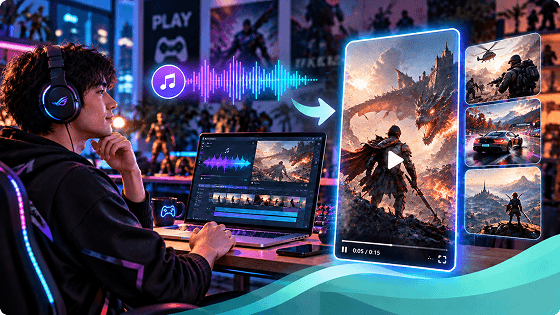
AI Game Video Generator

Transform your music and ideas into cinematic gaming videos with Somio AI game video generator. Create epic battles and stunning game trailers without complex editing.

  • No Watermark
  • Audio-Visual Sync
  • Fast HD Output
  • AI Enhancement

How to Create Gaming Videos Easily with AI?

Upload your game music and select a clip
Describe your gaming scenes and add your image
Adjust settings and generate your gaming video

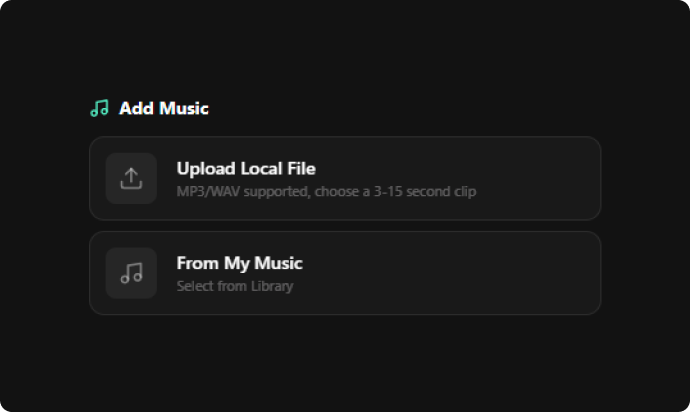
Upload Your Game Music and Select a Clip

Import your preferred MP3 or WAV audio track, choose a 3–15 second segment, or select a piece from your library (created with Somio). This audio clip sets the core rhythm driving your custom video's visuals and motion.
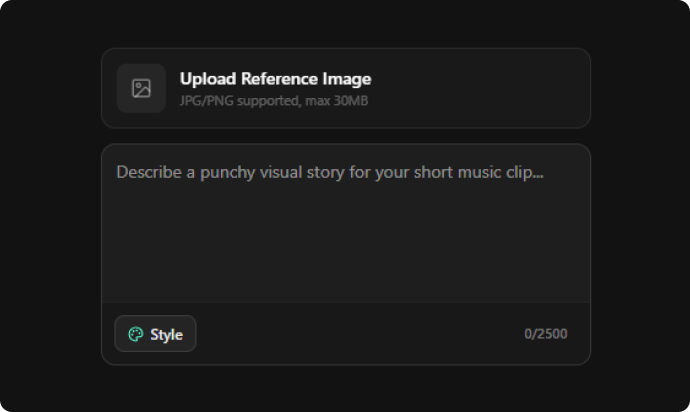
Describe Your Gaming Scenes and Add Your Image

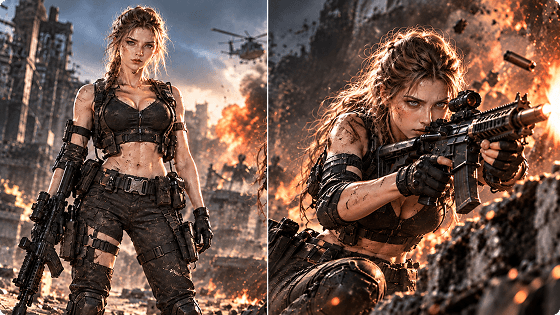
Build your visual concept by entering detailed text prompts for your game environments or characters. Optionally attach concept art, line art, or a reference image to lock in specific art styles and character appearances.

Adjust Settings & Generate Your Gaming Video

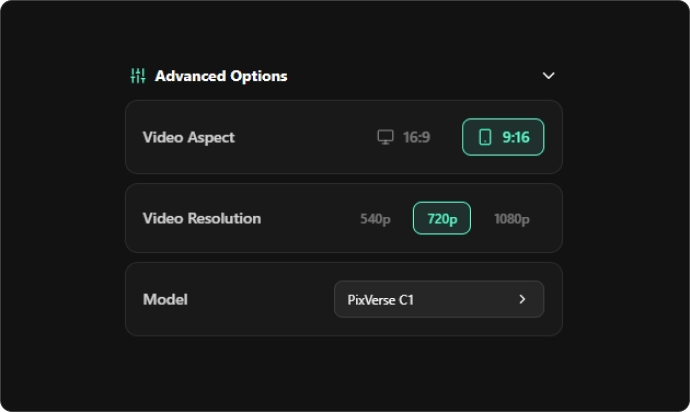
Choose 16:9 widescreen or 9:16 vertical format, select your desired resolution and video model, and hit "Create Short Music Video." The AI game video generator turns your inputs into a finished gaming video, perfectly aligned with your music and creative vision, in minutes.

Start Creating

Key Features of Our AI Game Video Generator: Create Gaming Videos Your Way

  • Turn Game Music and Ideas into Cinematic Gaming Videos

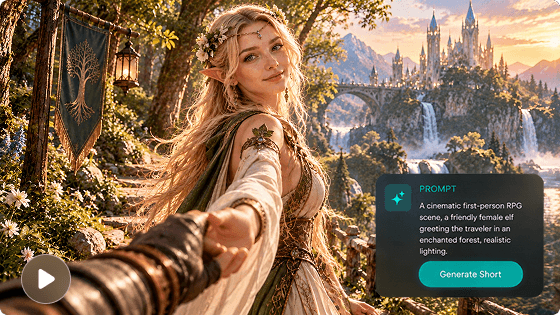
    Your game music sets the mood, and visuals bring the story to life. Somio AI game video generator transforms your chosen music segment and custom prompts into visually stunning gaming scenes, helping you animate fantasy worlds, epic battles, and futuristic adventures in minutes.

    Turn Game Music and Ideas into Cinematic Gaming Videos
  • Bring Game Characters and Worlds to Life with AI

    Static character art can’t capture every dramatic movement or immersive atmosphere. Use our AI gaming video maker to animate your vision with game music, using reference images and scene prompts to turn static designs into cinematic environments that make your creative ideas more vivid and engaging.

    Bring Game Characters and Worlds to Life with AI
  • Customize Every Gaming Scene with Prompts and Reference Images

    Somio AI gaming video generator lets you pair scene prompts with music and a reference image to guide visual details, shaping custom characters, lighting, and atmosphere for more personalized gaming videos. Render 3–15s clips or up to 8-minute long-form immersive trailers delivering seamless character flow, realistic dynamics, and studio-grade visual polish.

    Customize Every Gaming Scene with Prompts and Reference Images
  • Explore Different Visual Styles for Your Gaming Videos

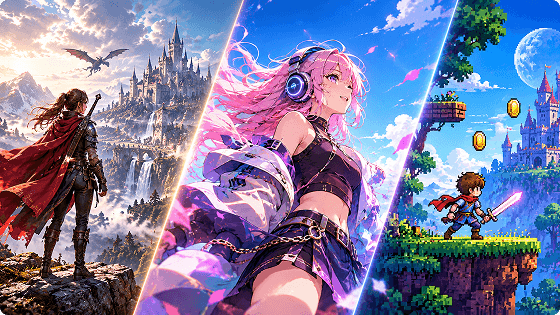
    Effortlessly switch between preset aesthetics like cinematic, anime, cyberpunk, and pixel art, or refine with custom prompts to craft a unique visual identity. Our AI video generator for gaming lets you quickly test distinct moods, ensure style consistency, and give your gaming content maximum room for creative expression.

    Explore Different Visual Styles for Your Gaming Videos

More Features of Somio AI Game Video Generator

  • Create Gaming Videos Online in a Few Clicks

    Creating game videos used to take hours of editing. Somio AI game clip maker simplifies the entire workflow into minutes with zero technical skills required. Simply pair your audio with prompts or an image to generate polished game scenes.

  • Make Gaming Videos for Shorts or Widescreen Platforms

    Repurposing game videos for different platforms can compromise composition and hide key details. With our AI game video generator, choose 16:9 or 9:16 before generation to create cinematic widescreen videos or mobile-friendly vertical content with less rework.

  • 4K AI Gaming Video Generator for Crisp Visuals

    Give your gaming visuals the clarity they deserve. Somio AI gaming video maker offers resolution options up to 4K where supported, enabling you to craft high-fidelity videos that showcase fantasy landscapes, futuristic architecture, and cinematic scenes in fine detail.

  • Fast AI Game Clip Maker for 3–15 Second Videos

    Need to visualize a game concept without lengthy production? Somio gaming video creator turns selected music and scene prompts into 3–15-second viral clips instantly, so you can explore dramatic reveals, hero entrances, and immersive worlds with less effort.

  • Create Watermark-Free Gaming Videos Ready for Sharing

    Skip distracting marks in your final showcase. Watch your fresh ideas take shape and export them watermark-free with Somio AI game video generator, allowing you to share striking gaming visuals with a cleaner, studio-grade look across any platform.

  • Royalty-Free Music-Driven AI Gaming Video Generator

    Worried about copyright issues when using existing game footage or assets? Driven by your original music tracks or audio clips, our game video creator transforms your prompts and reference images into distinctive gaming videos with confidence.

Create Gaming Videos for Every Creative Project

Generate epic soundtracks with our game music maker to drive your video scenes. Complete your production with custom game sound effect elements, and bring your gaming stories to life.

  • Create Cinematic Game Trailers and Promotional Videos

    Create Cinematic Game Trailers and Promotional Videos

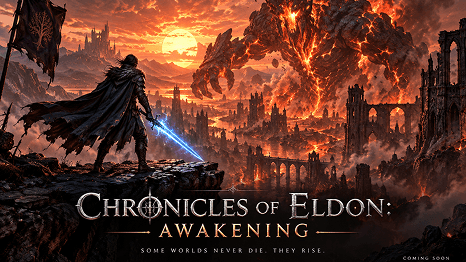
    Have an exciting game concept but no polished trailer to show? Somio AI video generator for game trailers renders your music, prompts, and concept art into cinematic scenes, allowing you to showcase your game’s world and build anticipation with less production effort.

  • Make Game Character Videos and Cinematic Scene Showcases

    Make Game Character Videos and Cinematic Scene Showcases

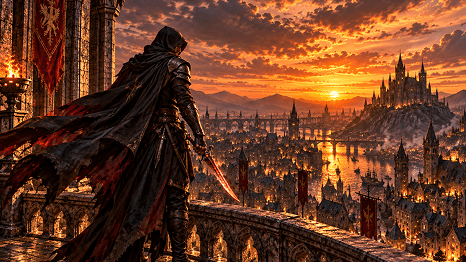
    A character design is only part of the story. Our AI game video generator converts character line art or concept sketches into dramatic animated clips with custom prompts and music, giving your heroes, creatures, and imagined worlds a more vivid way to capture attention.

  • Turn Gaming BGM into Atmospheric Music Videos

    Turn Gaming BGM into Atmospheric Music Videos

    Why let your epic soundtrack freeze on a static cover? Somio AI gaming video maker pairs your favorite music with prompt-driven scenes, turning eerie ruins and battlefields into high-octane visuals that bring your BGM’s atmosphere to life effortlessly.

  • Create Gaming Shorts for YouTube and TikTok

    Create Gaming Shorts for YouTube and TikTok

    Struggling to keep your gaming channel visually fresh? Our game video creator combines soundtrack segments, scene prompts, and vertical formats to create mobile-friendly clips, making it easier to share original gaming visuals across social platforms.

FAQs About Somio AI Game Video Generator

  • What is an AI game video generator?

    An AI game video generator uses artificial intelligence to create gaming-related video content from text prompts, images, or audio inputs. Somio AI gaming video maker takes a music-driven approach: upload a soundtrack or original music generated with Somio AI, select a segment, describe the gaming scenes you want, add reference images, and let the tool render game-inspired environments, cinematic scenes, and promotional visuals in minutes.

  • How do I make a gaming video for free?

    Share your Somio-generated music, tutorials, or reviews on social platforms to earn free credits upon approval. Use these credits to gain full access to our AI gaming video maker, letting you test creative concepts and render game trailers completely for free.

  • Can I use my own game music to generate videos?

    Of course. Upload your own game music to Somio AI gaming video creator. Then select the segment matching your intended scene, such as an intense battle sequence, a mysterious environment showcase, or a cinematic character introduction. Finally, describe the visuals you want around your chosen audio, then click "Create Short Music Video" to generate your gaming video instantly.

  • Can I use reference images to control game characters and scenes?

    Yes. Somio AI video generator for gaming supports reference images to help you communicate your intended visual direction. For example, you can upload a character illustration, environmental concept, or other suitable reference image, then use a text prompt to describe the desired actions, surroundings, lighting, and atmosphere. The image adds visual context, while the prompt explains how you want the scene to look.

  • What types of game videos can I generate with Somio AI?

    With Somio AI game clip maker, you can generate cinematic trailers, character showcases, BGM mood videos, and vertical shorts. Choose from presets like cinematic, anime, cyberpunk, or pixel art, or type custom prompts in the input box to create a unique visual style.

  • Can I use the AI-generated gaming videos commercially?

    Yes. Videos you generate with our AI video generator for game trailers are fully usable for monetized YouTube videos, social media promos, and commercial gaming content. However, you must ensure that any third-party game footage, logos, or copyrighted audio assets you upload comply with platform policies and intellectual property rights.

Give Us 5 Stars!

If you like our AI game video generator, please rate us 5 stars!

0 out of 5 stars, 0 Ratings

Last updated: 2026-10-28

  >   AI Game Video Generator