
AI music generators are changing the way creators make music. From YouTubers and indie developers to marketers and casual music lovers, more people are turning to AI tools to generate original tracks without needing professional skills.
Among the many options available today, Somio and Udio stand out as popular AI music generators. While both can generate AI music, they differ in how much control they offer, how you can create and edit music, and what they can do beyond music generation.
In this article, we'll break down Somio vs Udio in terms of music quality, customization, creative workflow, ease of use, and more, so you can decide which AI music generator actually fits your needs.
| Feature | Somio | Udio |
|---|---|---|
| Song Quality & Length | High-quality, full-length tracks up to 8 minutes | Up to 2:10 per generation; longer tracks require extensions |
| AI Optimization | AI optimization refines inputs before generation | ❌️ |
| Similar Song Creation | YouTube song URL can be used as a musical reference to create similar songs | ❌️ |
| Customization | Direct controls for genre, mood, language, vocal gender, vocal style, tempo, model, and more | More prompt and tag-driven; fewer directly selectable options |
| Personal Voice & AI Singer | Create songs with your own voice or reuse AI vocal styles from previous songs | Only reuse AI voices from eligible songs |
| Acapella Generation | Create vocal-only music with no instrumental accompaniment | ❌ |
| Ambient BGM | Generate atmospheric BGM with environmental sounds using Lyria 3 | ❌ |
| Music Editing | Remix, extend, and replace music section with local audio uploads | Remix and extend with restricted audio uploads |
| AI Video Tools | Music Video, Singing Video, Dancing Video, and Lyric Video generation | ❌️ |
| Audio Tools | Vocal Remover, Stem Splitter, Audio to MIDI, Pitch Changer, Key & BPM Finder, Drum Remover, and more | ❌️ |
| Generation Workflow | Multiple generation tasks can run at the same time | ❌️ |
| Ease of Use | Simple, intuitive, with guided customization | More hands-on and prompt-driven |
| Best For | Beginners, content creators, everyday use | Experimental and artistic projects |
Part 1. What Is Somio?
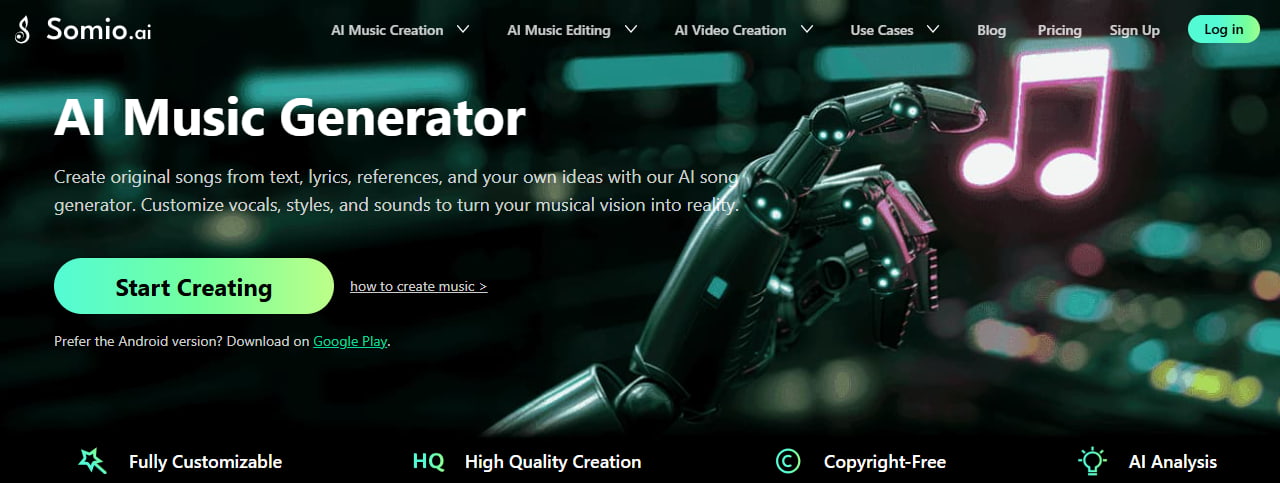
Somio is an all-in-one AI music generator designed to make music creation more flexible and accessible. You can generate full songs from text, lyrics, or YouTube references, while customizing elements such as genre, mood, language, vocal gender, vocal style, and more.
Beyond standard song generation, Somio supports instrumental and acapella music, ambient BGM, AI voice creation with your voice and AI singer, and music editing tools for working with existing audio. Songs can be generated up to 8 minutes long, giving creators more flexibility for different projects and use cases.
- AI music generation from text, lyrics, and references
- AI optimization for better prompt input and results
- Flexible customization for more control over generated music
- Instrumental, Acapella, and ambient BGM generation
- Support remix, extend, and replace music section with audio uploads
- Personalized AI vocals, including the ability to create songs with your own voice
- Fast generation with high-quality results
- Clean, intuitive interface suitable for beginners
- More features beyond music generation, including video generation and audio editing tools
Somio AI focuses on giving creators more ways to create, customize, and work with music in one place.
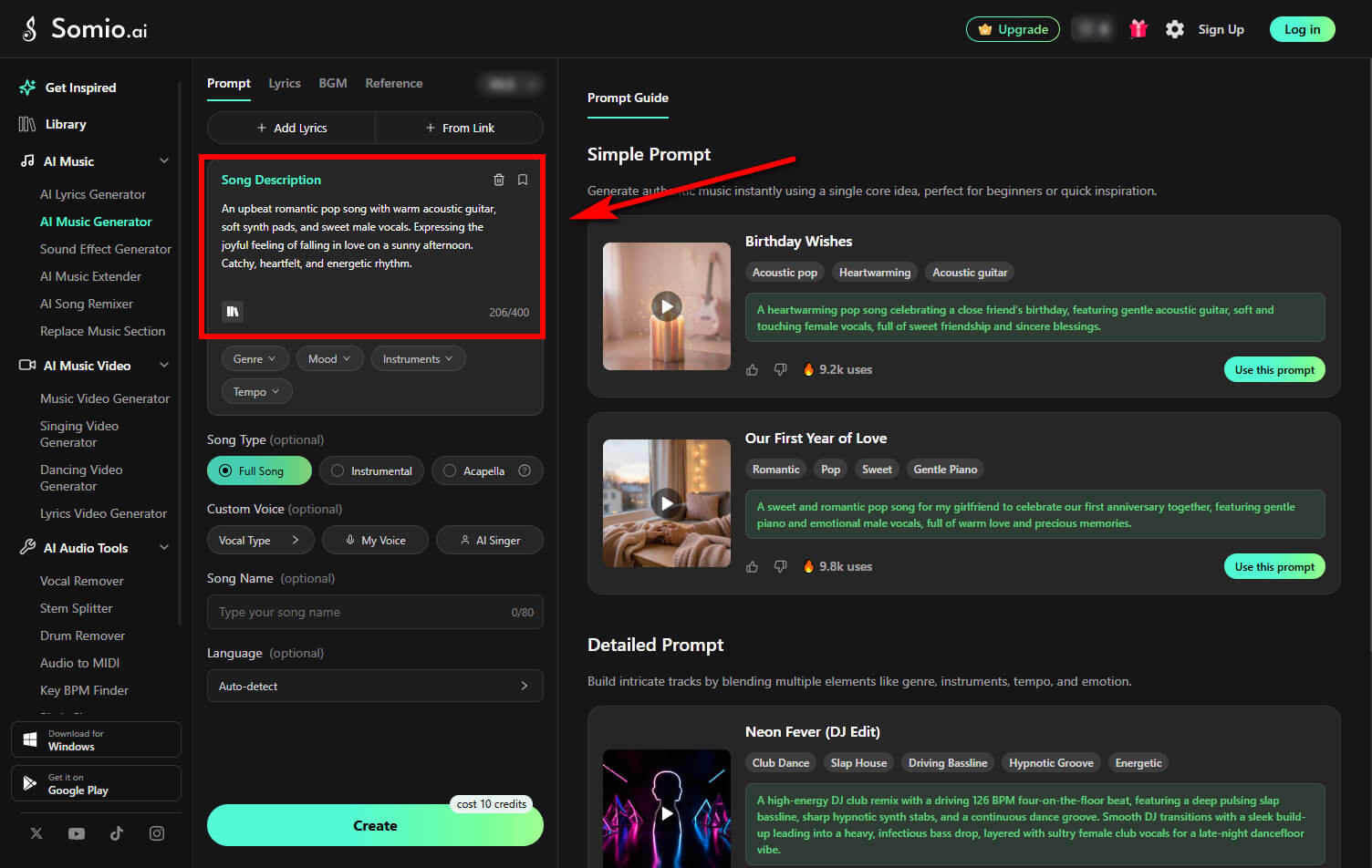
- Step 1Enter Your Music Prompt: Open the Somio AI music generator and select the tab that matches what you want to create. Enter a prompt describing the music you want in any tab. Prompt lets you describe your musical idea directly, while Lyrics combines your lyrics with a prompt describing the sound you want. In Reference, you can provide a YouTube song URL and describe which aspects you want to draw from. For BGM, use a prompt to describe the background music and atmosphere you want to create.
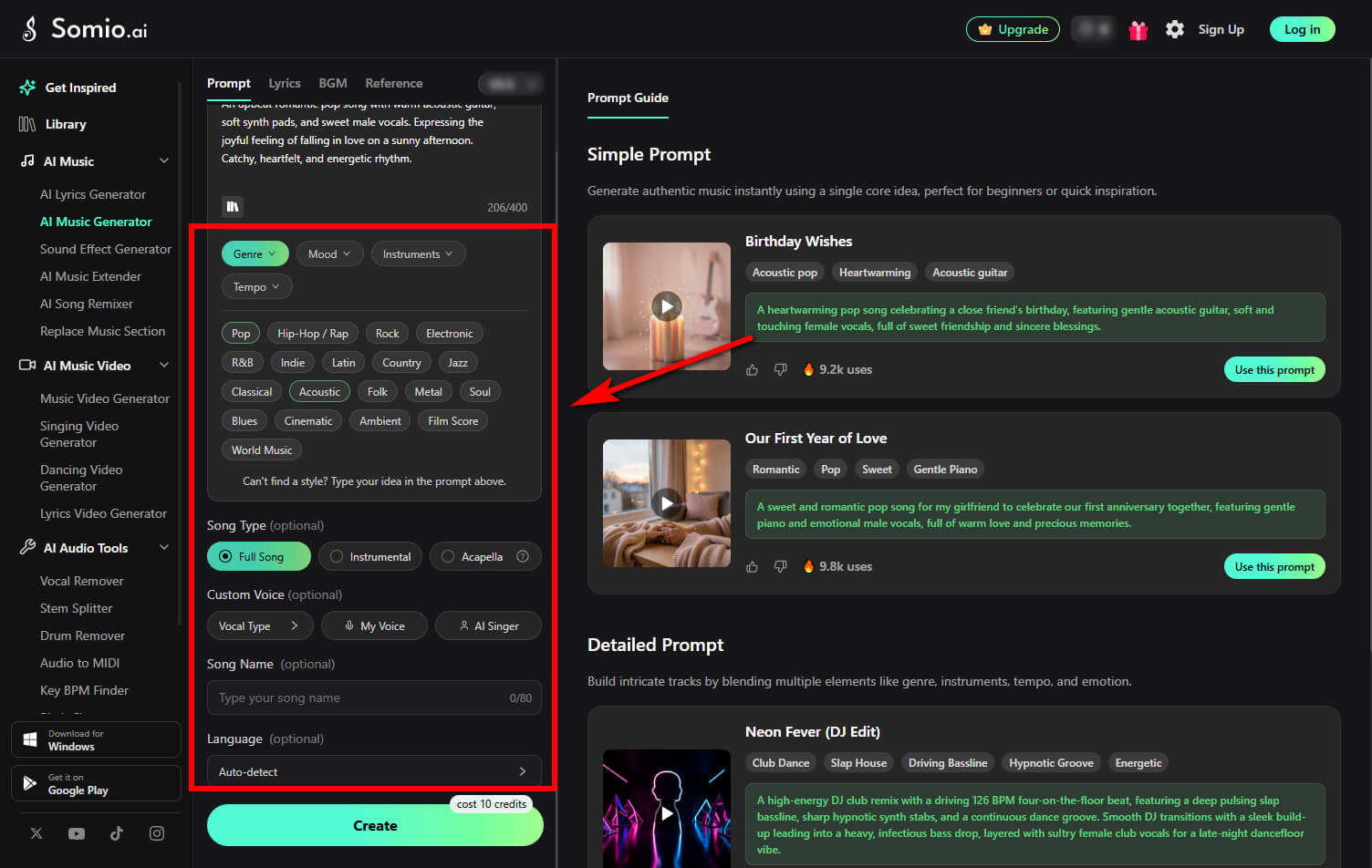
- Step 2Customize Your Music: After entering your prompt, adjust the available settings to shape the result. Depending on the creation tab, you can customize elements such as genre, mood, vocal settings, song type, and more. These options work together with your prompt to give you more control over the generated music.
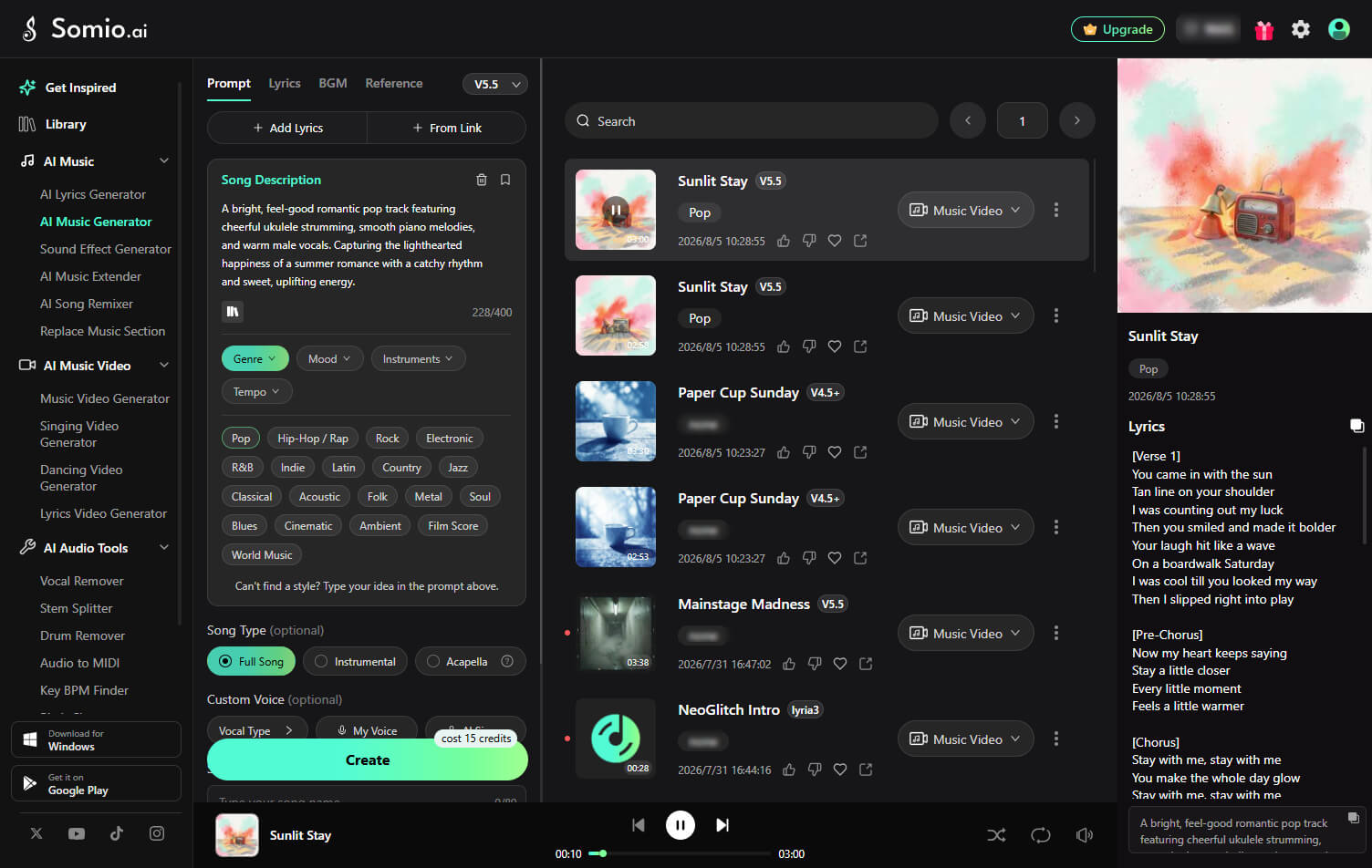
- Step 3Generate and Download Your Music: Click "Create" to generate your music. Once your tracks are ready, preview the results and download them in MP3 or WAV format for videos, podcasts, social media, or other creative projects.
Part 2. What Is Udio?
Udio is an AI music generator that leans toward experimental and artistic music creation, making it a good fit if you have experience in music composition or songwriting and enjoy exploring expressive structures.
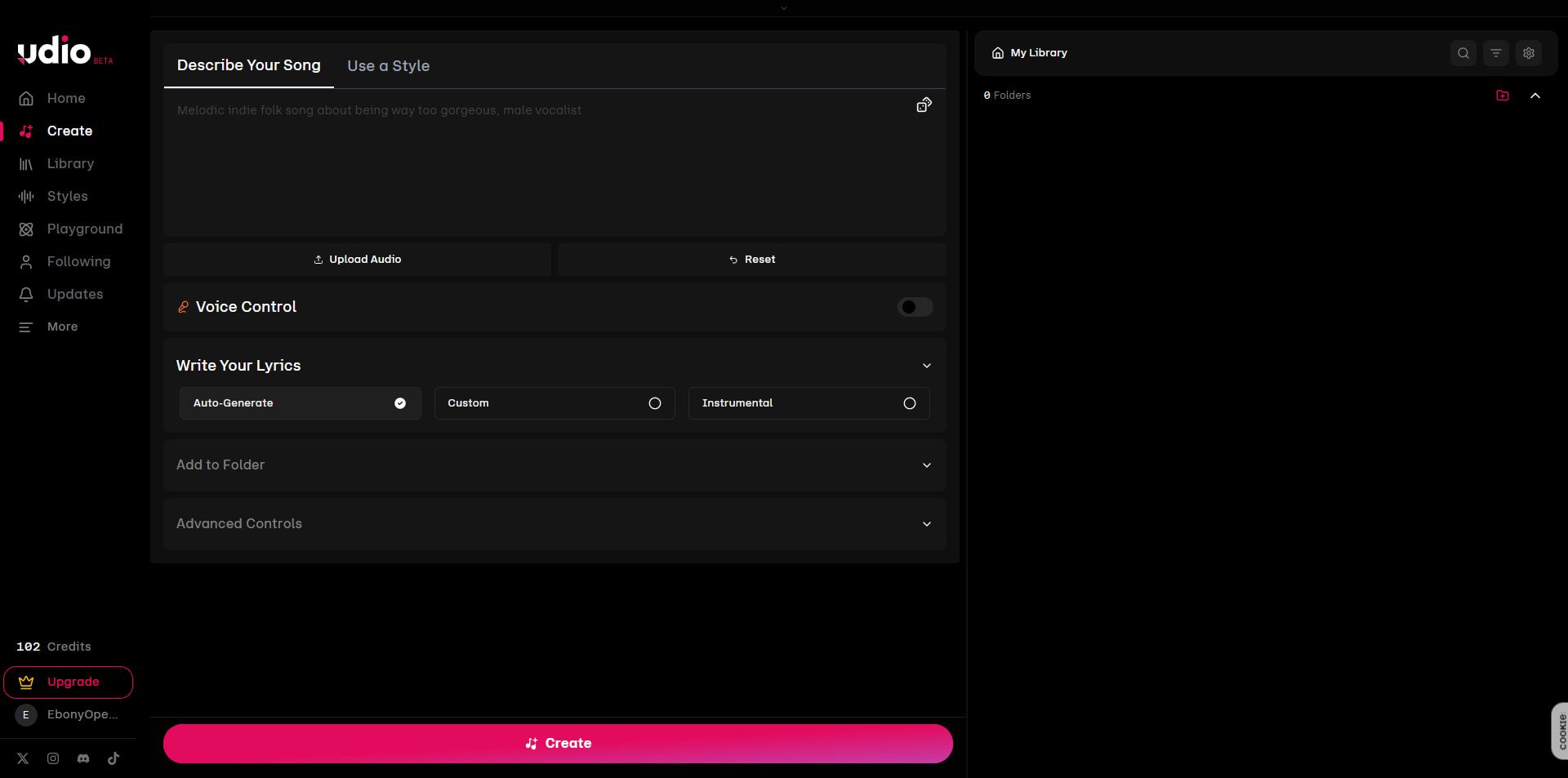
- AI-generated songs with vocals
- Strong emphasis on creative experimentation
- Detailed prompt-based control
- Iterative Creation Workflow
While Udio can produce impressive results, it often requires more trial and error and more precise input to achieve the result you want.
Part 3. Somio Vs. Udio — Feature Comparison
Song Quality & Length
When comparing AI music generators, song quality and length are often among the first things people notice.
Somio focuses on generating full-length songs with a clear structure, while giving you multiple AI models to choose from based on your creative needs. It can generate songs up to 8 minutes long, with proper intros, smooth transitions, and natural endings. This makes the output easier to use directly in videos, social content, or personal projects without extra editing.
Udio, on the other hand, limits each generation to up to 2 minutes and 10 seconds, with longer compositions built by extending generated sections. This gives experienced creators flexibility, but creating a longer, cohesive track may require more steps.
If you want a complete song in fewer steps, Somio offers a more straightforward workflow.
AI Optimization
One major difference between Somio and Udio lies in how much help the AI gives you before the music is created.
With Somio, clicking the "Create" button doesn't immediately start generation. Instead, the system runs an AI optimization step that analyzes your input and improves it behind the scenes. This helps clarify style, mood, and structure, even if your original prompt is short or not very technical.
- • Fewer off-target generations
- • More consistent results
- • Less pressure to "write the perfect prompt"
- • Easier music creation for beginners
Udio relies more heavily on provided prompts and tags. The final result depends largely on how detailed and precise your input is. This gives you more freedom, but beginners may need time to learn how to phrase prompts effectively.
Reference-Based Music Creation
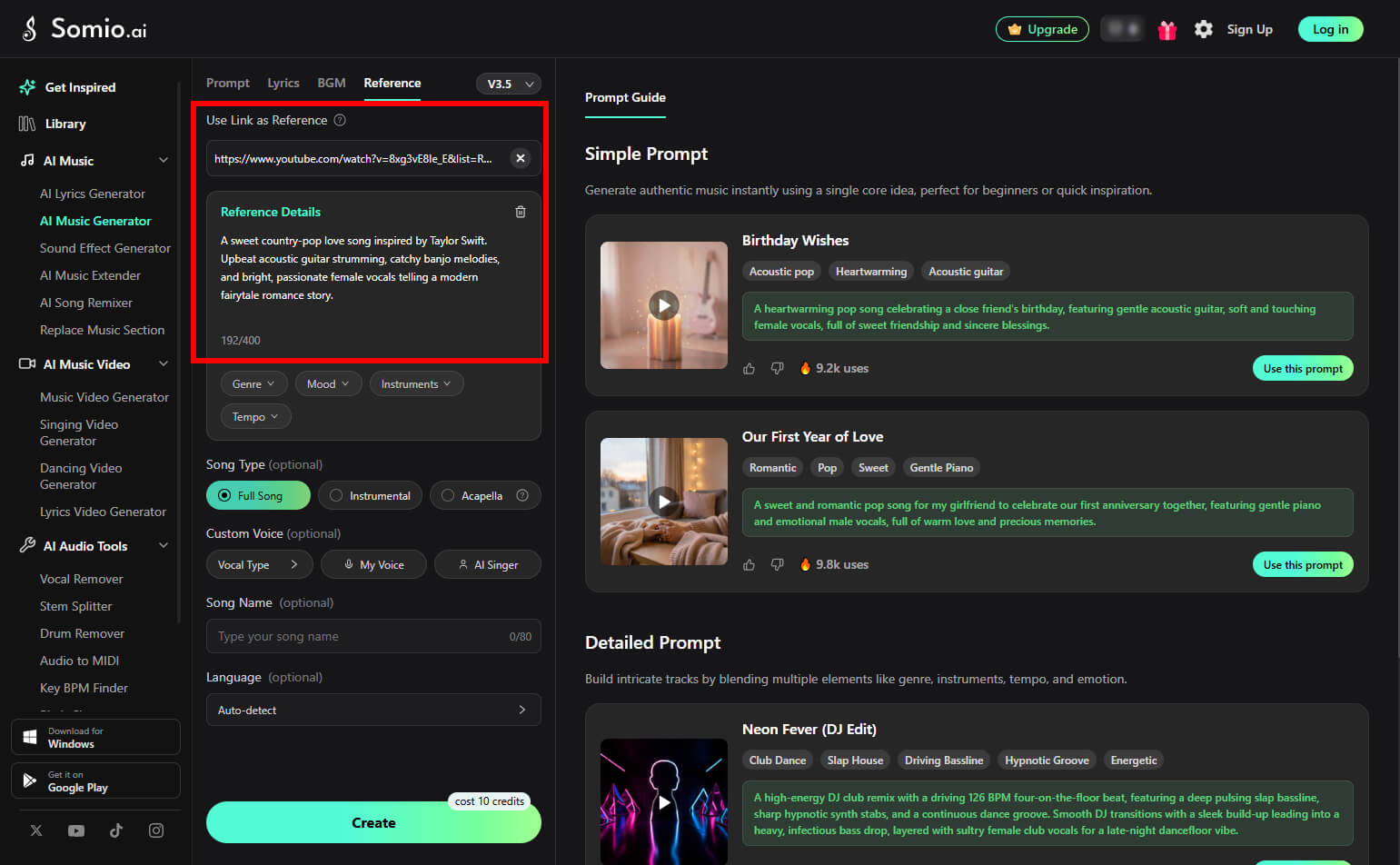
Somio gives you another way to create music beyond only a text prompt: Reference.
You can provide a YouTube song URL and describe which aspects of the reference you want to draw from, such as its musical style, mood, or overall sound. You can also continue to use Somio's customization settings to adjust other aspects of the generated song, giving you more control over how the reference is interpreted.
This makes Reference useful when you have a specific song in mind but don't want to describe its sound entirely through text. You can combine a musical reference with your own description and settings to create a new track that follows your intended direction.
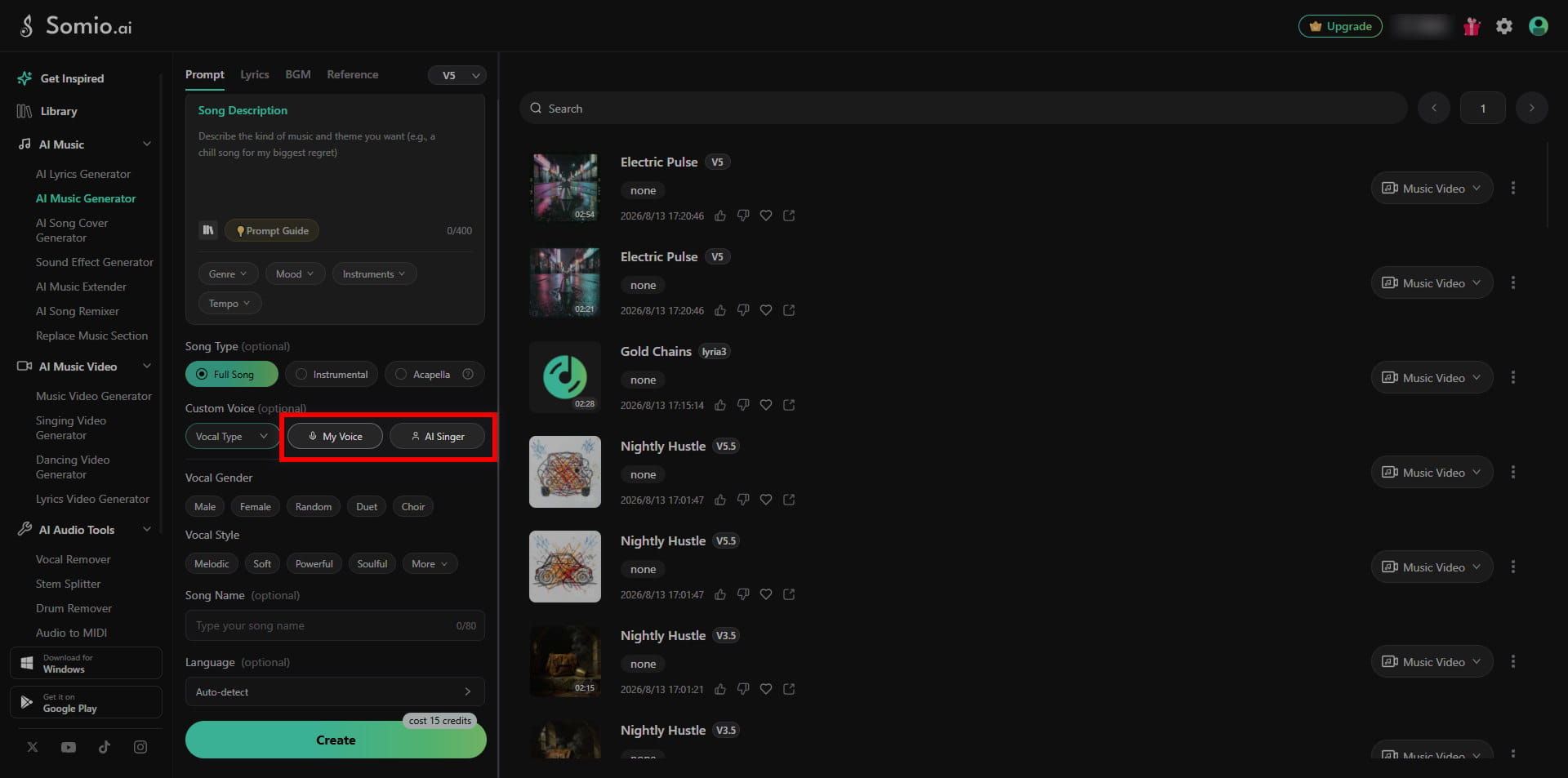
Create AI Songs with Your Own Voice
Somio lets you create AI songs using your own voice with the My Voice feature, giving you a more personal way to turn your voice into a complete song. You can also use the AI Singer feature to reuse vocal characteristics from previously generated songs and create new tracks with a familiar vocal style.
Udio also provides voice-related controls through its Voices feature. You can select a voice from eligible songs and use it as a vocal reference for new generations, making it possible to maintain a consistent vocal identity across tracks. However, Udio does not currently provide the same option to upload or record your own voice and generate songs with it.
Instrumental, Acapella & Ambient BGM Generation
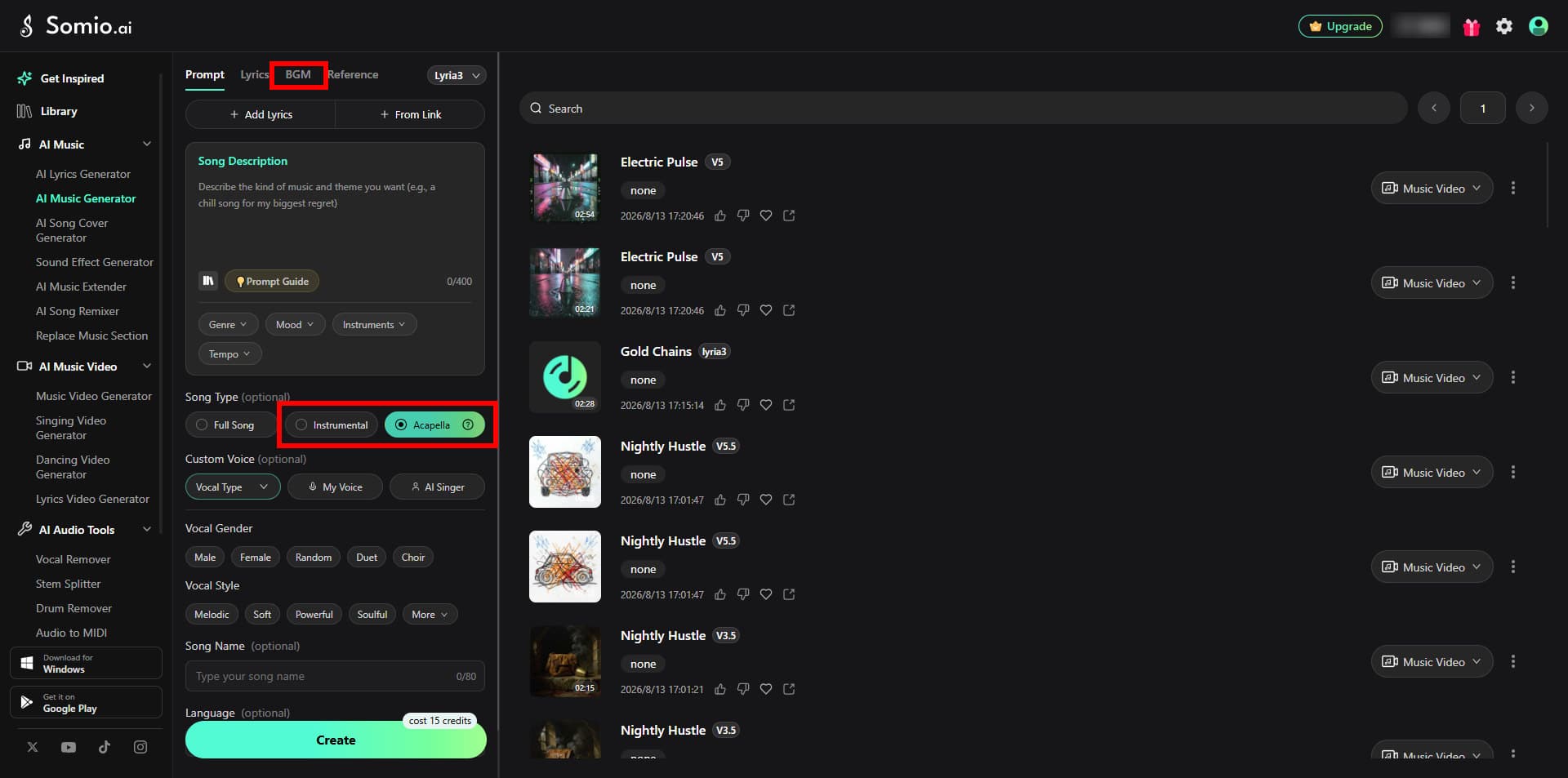
Somio supports more than traditional vocal songs, with dedicated options for different types of music creation. You can select the Instrumental option to generate music without vocals, or choose the Acapella option to create vocal-only tracks without instrumental accompaniment.
For creators who need background music, Somio also provides a dedicated BGM tab. With the Lyria 3 model, you can create atmospheric background music with environmental elements such as flowing water and other natural sounds.
This makes Somio suitable for a wider range of creative needs, from full songs and instrumental tracks to vocal-only performances and immersive ambient BGM.
Udio also supports instrumental generation, but its creation workflow is more centered around prompt-based control rather than dedicated song-type options for these different use cases.
Remix, Extend & Edit Your Own Audio
Somio gives you more flexibility when working with existing audio. You can upload local audio files and use them with AI-powered music editing features such as Remixer, Extender, and Replace Music Section, rather than being limited to tracks generated or stored within the platform.
Music Remixer lets you create a new version of an existing track, while Music Extender allows you to continue a song beyond its original ending. With Replace Music Section, you can replace a specific section of a track while keeping the rest of the song intact.
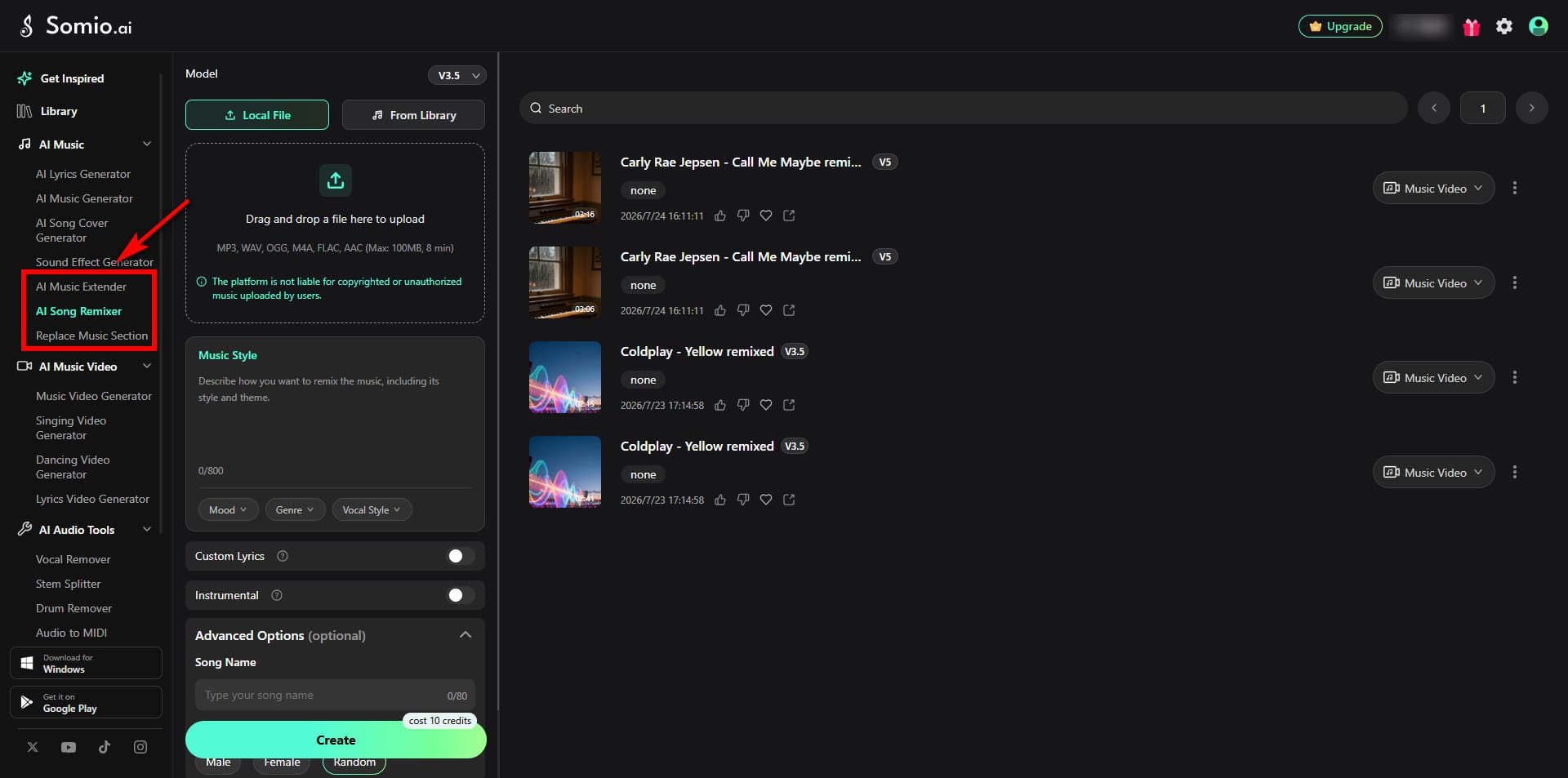
Udio also supports audio uploads for remix and extend, but does not offer a dedicated Replace Music Section feature. Its upload guidelines also place strict restrictions on the types of copyrighted or unauthorized audio you can upload.
For creators who already have music they want to edit, Somio provides a broader editing workflow with more ways to modify existing audio.
Customization Options
Somio gives you a range of customization settings to shape your music before generation, making it easier to create a track that matches a specific idea without putting every detail into a prompt.
You can customize key elements such as genre, mood, tempo, vocal gender, language, and more directly in the creation interface. For vocals, you can choose from options such as Male, Female, Duet, and Choir, while vocal styles can be adjusted with choices such as Soft, Powerful, and Soulful.
Somio also lets you create AI songs in your preferred language, even when your prompt is written in another language. This gives you more flexibility to create songs and lyrics in the language you actually want for the final track.
Udio offers a more open-ended creation style, where these elements are mainly expressed through descriptive input rather than fixed options. This gives you flexibility, but places more emphasis on how the idea is described.
Ease of Use & Flexible Workflow
Ease of use and workflow can make a big difference in whether you stick with a tool long-term.
Somio is designed to be simple and intuitive. Thanks to clear customization options and AI Optimization, you can get good results even with minimal input. The workflow is also designed for easy iteration, with multiple generation tasks allowing you to create several songs at the same time instead of waiting for one generation to finish before starting another.
Udio has a higher learning curve. It often takes more time to adjust inputs and refine ideas across multiple generations, making it a better fit for those who enjoy a hands-on creative process.
Part 4. Beyond AI Music Generation
While AI music generation is at the core of Somio, the platform also covers more of the workflow that comes before and after a song is created.
Video Generation
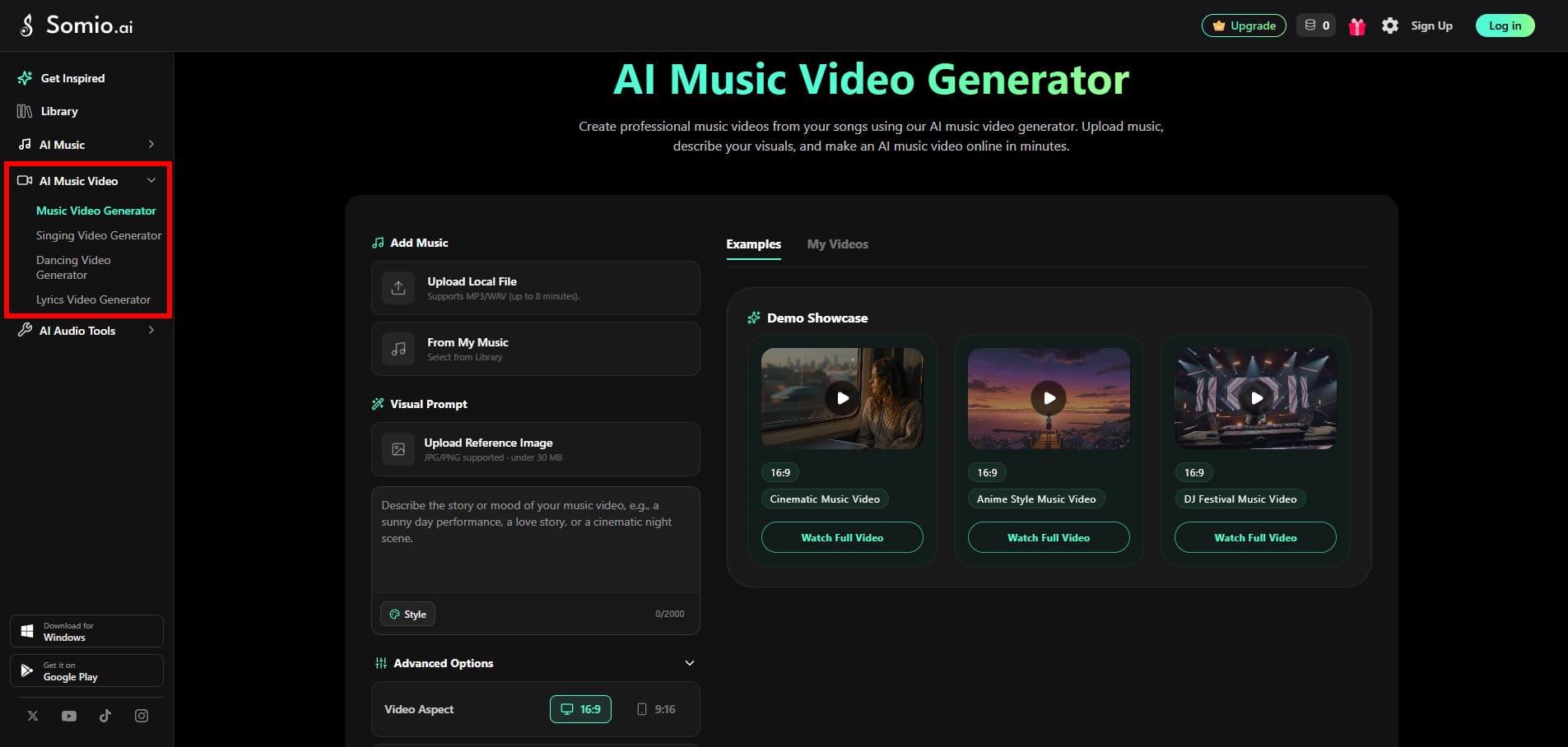
Somio's AI video tools help turn music and images into different types of visual content. With the Music Video Generator, you can create visuals that accompany your songs, while the Singing Video Generator lets you make a still image sing with AI-powered lip sync and synced vocals. You can also use the Dancing Video Generator to turn images into AI dancing videos, or create synchronized lyric content with the Lyrics Video Generator.
Together, these tools make it easier to turn your music into different types of content without needing a separate video creation tool.
Audio Editing
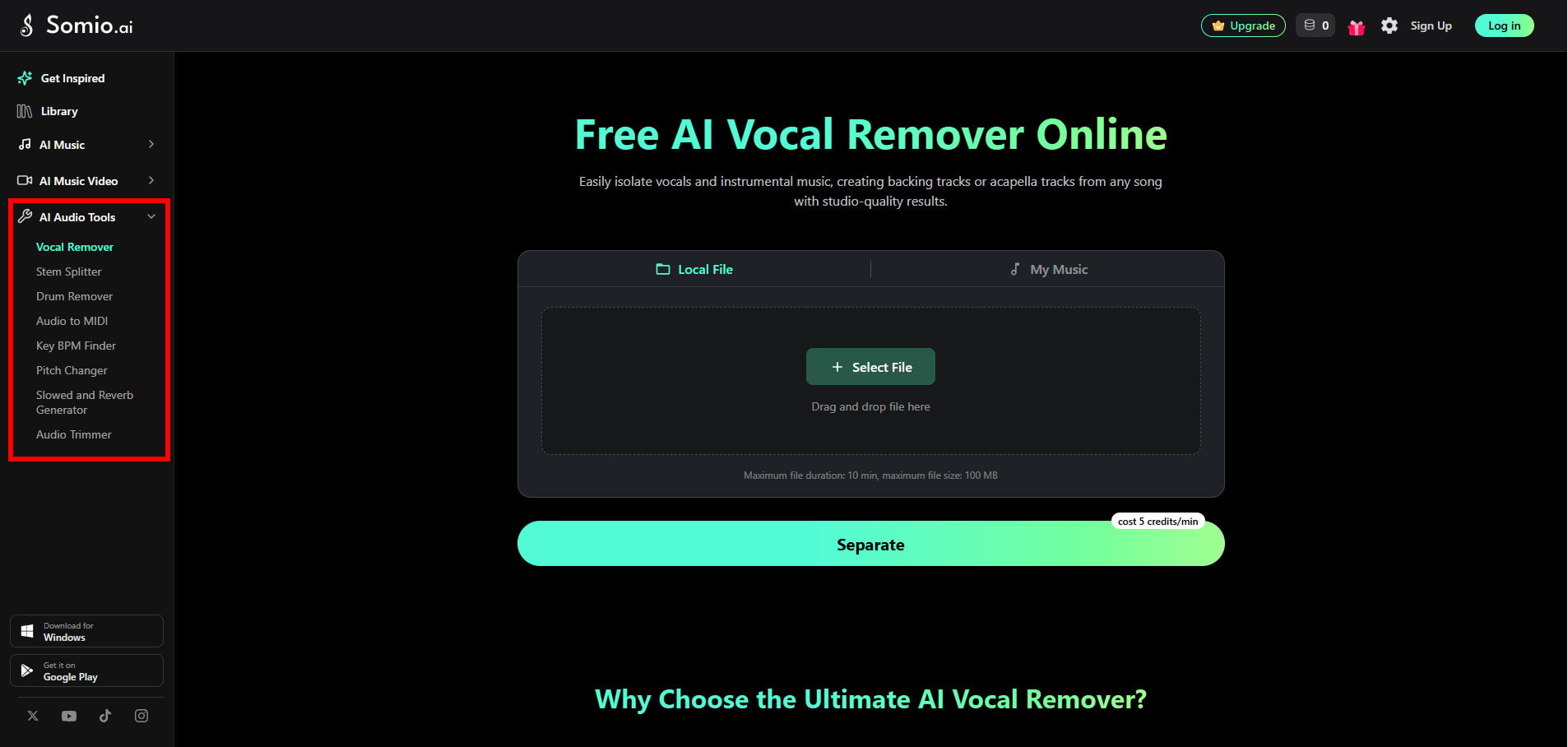
Somio AI also offers a range of audio editing tools, including Vocal Remover, Stem Splitter, Audio to MIDI, and more, so you can further edit and transform your tracks without moving between different platforms.
Whether you want to remove vocals, extract individual tracks, or prepare your music for further production, these tools let you continue working with your audio in the same platform.
Want to explore everything Somio can do? Explore All Features →
Part 5. Which AI Music Generator Is Better for You?
Understanding how Somio and Udio are designed can help clarify which AI music generator fits your needs.
Choose Somio if you:
- • Want an easy-to-use AI music generator with AI Optimization and direct customization options.
- • Want more ways to create music, including YouTube References, your own voice, AI Singer, Acapella, and ambient BGM.
- • Need more flexibility when editing existing audio, with Remixer, Extender, Replace Music Section, Vocal Remover, and more.
- • Want a broader creative workflow, with multiple generation tasks and AI video generation.
- • Want to create longer songs, with generation lengths of up to 8 minutes.
Choose Udio if you:
- • Focus on experimental or vocal-based AI songs
- • Enjoy fine-tuning prompts and creative exploration
- • Don't mind a longer learning curve
Conclusion
Somio and Udio approach AI music generation from different angles. Udio leans toward artistic expression and vocal-focused creativity, which can be appealing for people who enjoy experimenting with prompts and exploring unique musical ideas.
Somio, on the other hand, emphasizes usability, control, and versatility. With AI Optimization, clear customization options, and more ways to create and work with music, it fits naturally into everyday creative workflows. If you want an approachable music creation experience with more creative possibilities, Somio offers a more flexible and efficient choice.
FAQs
- 1. Do I need advanced prompt-writing skills to use Somio AI?
No. Somio is designed to be beginner-friendly. With structured customization options and AI Optimization that helps refine your input, you can create music without writing complex or highly technical prompts. If you want to learn how to write more precise prompts and get results closer to your ideas, check out our Prompt Guide for practical tips and examples.
- 2. What if I don't know what kind of music to create?
No worries. Somio AI music generator provides music examples and prompt ideas to help you explore different styles, moods, and creative directions. You can use these examples as a starting point and adapt them to create your own music.
- 3. Can I use music generated by Somio AI for commercial projects?
Yes. Music generated with the Somio AI song maker can be used for personal and commercial projects, including videos, apps, and YouTube content. Paid plans include commercial use rights, with the specific terms depending on your plan.