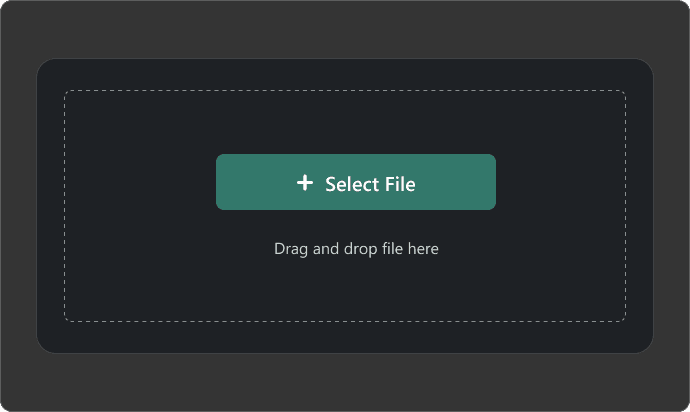
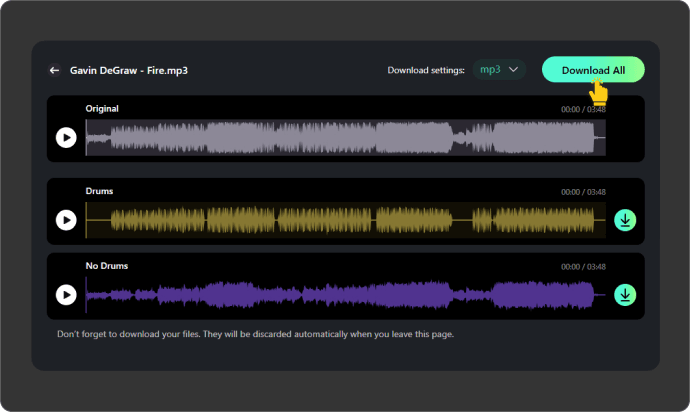
Upload Your Audio File
Select a file from your device or pick a track from your Somio library, then click “Separate” to isolate drums. Our AI drum remover supports MP3, WAV, FLAC, M4A, OGG, and other popular formats.
Easily remove drums from song with AI to create clean drumless tracks for remixing, karaoke, DJ sets, and professional content.
Remove drums from song in seconds with our AI drum remover. Just drag, drop, and process directly in your browser — no DAW, plugins, or editing skills needed. Get clean drumless tracks fast for remixing, karaoke, practice, DJ edits, and content creation.
Powered by advanced deep learning audio separation, our drum remover precisely extracts drums from any song and generates both drum-only and drumless tracks, enabling seamless remixing, DJ sets, music production, practice sessions, and content creation.
Get clean drumless tracks with fewer artifacts, less bleeding, and better instrument clarity. Our AI drums remover preserves vocals, stereo balance, and audio detail, delivering high-quality stems ready for remixing, karaoke, sampling, and professional music production.
Our drum isolator fits every creative workflow, from remixing and live DJ edits to karaoke, rehearsal, and social media content. Remove drums and generate both drum-only and drumless tracks instantly for use in DAWs, performances, or audio editing.
Remove drums from songs for free with fast AI-powered processing directly in your browser. Upload audio files, generate clean drumless tracks in seconds, and preview high-quality stem separation without downloads or manual editing.
Remove drum track from song in one click with a beginner-friendly workflow. Upload your audio, let AI process the track automatically, and get clean drumless results fast — no mixing skills, plugins, or complicated audio editing required.
Use our AI drum remover anytime, anywhere on Windows, Mac, iPhone, Android, or tablets. The fully browser-based platform lets you remove drums, preview stems, and download tracks seamlessly across devices without software limitations.
Your audio stays protected with secure, encrypted processing and automatic file deletion after separation. Enjoy a clean, ad-free drum separator experience without intrusive pop-ups or risks to your music files and creative projects.
Choose between isolated drum stems or drum-free tracks for flexible creative control. Get crisp percussion with minimal bleed, ideal for sampling, loop creation, drum transcribing, rehearsal practice, DJ edits, and DAW-based production projects.
Separate vocals, drums, bass, piano, guitar, and synths with our powerful AI stem splitter, all on one platform, to create mashups or remixes quickly while saving time and avoiding software switching for smooth multi-track production.
From remixing to practice and content creation, our drum isolator helps you remove or isolate drums across a wide range of creative tasks.

Our AI drum separator instantly creates drum-free backing tracks to rehearse singing, instrumentals, or improvisation. Focus on vocals, melodies, and arrangements without distractions to improve skills and creative flow.

Use our drums isolator to sample and edit isolated drum and instrument stems, creating unique remixes, beats, or new arrangements. Seamlessly export your tracks to any DAW for an efficient, studio-quality music production workflow.

Remove drum tracks and create drumless stems to craft mashups, loops, transitions, and performance-ready arrangements. Customize sets for clubs, festivals, livestreams, or radio, giving DJs full control and creative flexibility.
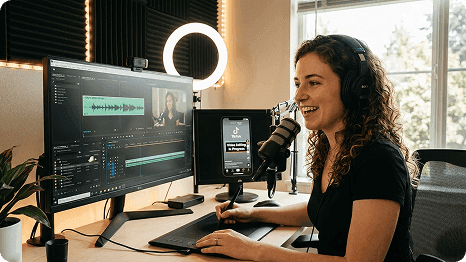
Separate drums to create balanced, high-quality tracks for YouTube, TikTok, podcasts, livestreams, or tutorials. Streamline your editing workflow and produce professional-sounding, polished content effortlessly for any platform.
Remix your songs with AI. Change the vocals, lyrics, or musical style as you like and try out different versions.
Extend your songs with AI to add new sections and keep the music flowing naturally for longer tracks.
Replace selected sections of your songs with new music while keeping the rest of the track unchanged.
Turn your favorite songs into new AI covers with different voices and styles for a fresh musical take.
Remove vocals from your songs with AI to create clean instrumental tracks for listening, editing, or new creations.
Describe the music you want in text and let AI generate a song based on your description and musical preferences.
You can easily remove drums from songs using Somio free drum separator. Simply upload your track, and the AI drum remover will automatically generate a drumless version in seconds. This lets you create clean backing tracks for karaoke, remixing, practice, or content creation without downloading any software.