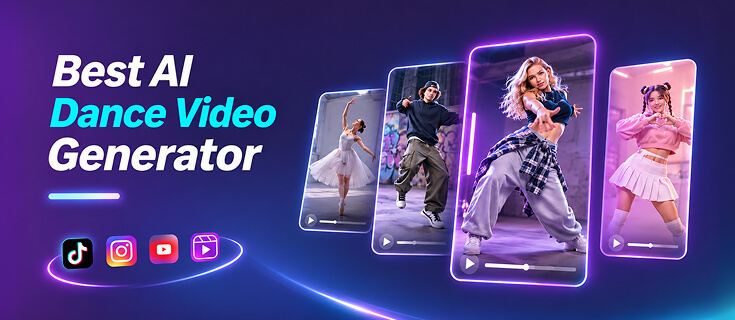
Tired of AI dance tools that turn a simple photo into a distorted, glitchy mess? While modern generators can animate selfies, pets, and anime characters into viral TikTok routines or custom performances, choosing the wrong one easily leads to warped limbs and wasted credits.
These tools vary widely in how they work. Some rely on preset templates, while others transfer motion from reference videos or sync choreography to music — and that difference determines whether you get a quick meme or a convincing performance.
After weeks of testing across motion-generation approach, creative controls, ease of use, output quality, pricing, and practical limitations, we're sharing our notes so you don't have to waste time on the bad ones. Based on our results, Somio AI stands out as the best AI dance video generator overall for creators who want versatile generation options and impressively natural, fluid dance results in one comprehensive tool. Below, we break down all 6 top picks to help you pick the right fit for your project.
What Makes the Best AI Dance Video Generator?
To identify what truly separates top tools from average ones, we analyzed user reviews across platforms like Reddit, Trustpilot, and app stores, alongside our own hands-on testing. The best AI dance video generator isn't necessarily the one with the most templates or the most advanced AI model. What matters is how well it turns a static photo into the exact dance moves you want or translates your idea into a convincing performance without making you spend hours correcting distorted movements or editing the result.
Motion Quality and Character Consistency
Dance animation puts heavy pressure on AI video models. Arms cross the body, legs move rapidly, dancers turn around, hair swings, and faces change angles throughout a routine. Even a model that produces great portraits can struggle with complex choreography.
Look for a generator that keeps body proportions, facial features, clothing, and recognizable details consistent as the dancer moves, with smooth transitions between poses. If hands distort, faces morph halfway through, or movements look disconnected, the clip quickly loses its appeal. Consistency matters most when animating personal photos, brand mascots, original characters, or anime illustrations — the goal is keeping the subject recognizable from start to finish.
Dance Styles, Reference Control, and Music Sync
Different creators need different levels of control. If you're joining a trending TikTok challenge, a ready-made template may be enough. If you have specific choreography in mind, uploading a reference video offers far more flexibility.
Music-driven generation adds another layer: some tools transfer movements from an existing dancer, while others analyze an uploaded track to generate choreography matched to its beat, tempo, and energy. Ideally, an AI dance video generator should balance convenient presets with personalized inputs like text prompts, custom reference clips, camera controls, and music settings so your output feels original rather than like another copy of the same template.
Ease of Use, Output Quality, and Value
You shouldn't need animation expertise to animate a photo. A clear workflow, previewable templates, and simple generation controls make regular content creation much easier.
Output quality should also match your target platform, as short vertical clips for TikTok, Reels, or YouTube Shorts have different needs from longer music videos. Check generation speed, resolution, and watermarks. A cheaper tool may be enough for occasional memes, but creators who regularly produce content may benefit more from faster generation, better controls, and high-quality, watermark-free exports.
Quick Comparison: 6 Best AI Dance Video Generators
| Tool | Key Features | Price |
|---|---|---|
| Somio | Curated trending dance templates, smooth reference-video motion transfer, built-in music-to-dance generation via prompts | $9.99/month |
| Viggle | Massive viral dance templates, Mix reference clips & Multi-Track swap | Free (with watermarks & limits); paid from $7.99/month |
| Freebeat | Beat-synced AI choreography from songs, up to 6-min full-track videos | $26.99/month |
| Kling AI | High-realism motion transfer, pose framing, prompt & camera controls | $10/month |
| Photo Dance | Mobile-first app with vast viral templates & custom clip uploads | ~$12.99/week (in-app subscription) |
| Vidnoz | Diverse preset dances with built-in background music & easy web workflow | Free (with limitations); paid from $12.99/month |
In-Depth Reviews of the 6 Best AI Dance Video Generators
Somio - Best Overall for Smooth Motion Transfer & Versatile Dance Creation
Best for: Creators who want to recreate trending dances, customize choreography, animate people or characters, and make engaging social media videos without complicated editing.
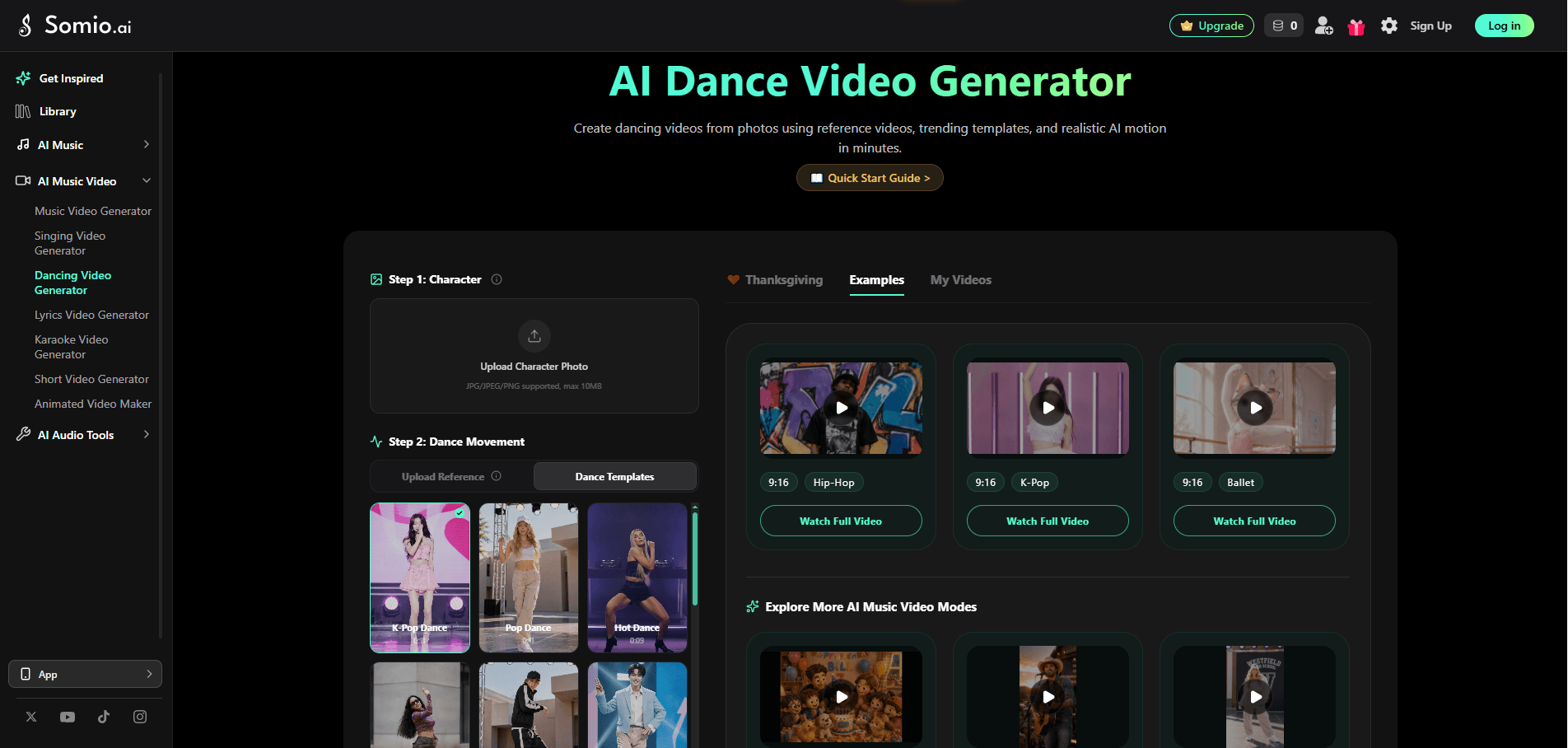
If you want more than a one-click dancing photo effect, Somio AI dance video generator stands out by combining ready-made dance templates with custom reference-video motion transfer. You can upload a photo and browse previewable dance templates inspired by trending challenges and popular styles, or upload your favorite dance clip to guide the generated movements. This second option gives you greater creative control when you have specific choreography in mind, from K-pop and hip-hop to ballet and other dance styles.
Somio AI photo-to-dance video generator also supports a wide range of image inputs, including selfies, full-body photos, pets, anime characters, illustrations, virtual avatars, and 3D figures. This flexibility lets you create everything from funny pet dance clips to animated mascots and character-based social content. Beyond simply transferring movements, Somio aims to maintain the subject's original appearance while generating smooth transitions, stable body movements, and natural facial expressions.
For social media creators, the streamlined workflow makes trend-inspired videos easier to produce. Upload an image, select a dance template or provide a reference video, and generate your video without dealing with complicated timelines or manual animation. Whether you're joining a viral dance challenge, making entertaining clips for friends, or creating content for TikTok, Reels, and Shorts, Somio dancing video generator turns photos into dance videos in minutes. Beyond dance video creation, its music video generator creates dance videos from prompts, music, and an optional photo, plus AI music generation, audio editing features, and more.
Pricing: $9.99/month to start, scaling up your credit allowance so you can test dance templates, upload reference videos, and post consistently.
Pros
- Template and custom reference-video workflows
- Preview dance templates before generation
- Supports people, pets, anime, illustrations, and avatars
- Natural movement and character consistency
- Optional prompt customization for reference videos
- Intuitive interface
- Web, Android, and PC access
- Additional text-to-dance workflow for original choreography
Cons
- iOS app is not currently available
- Blurry photos of the subject can limit output quality
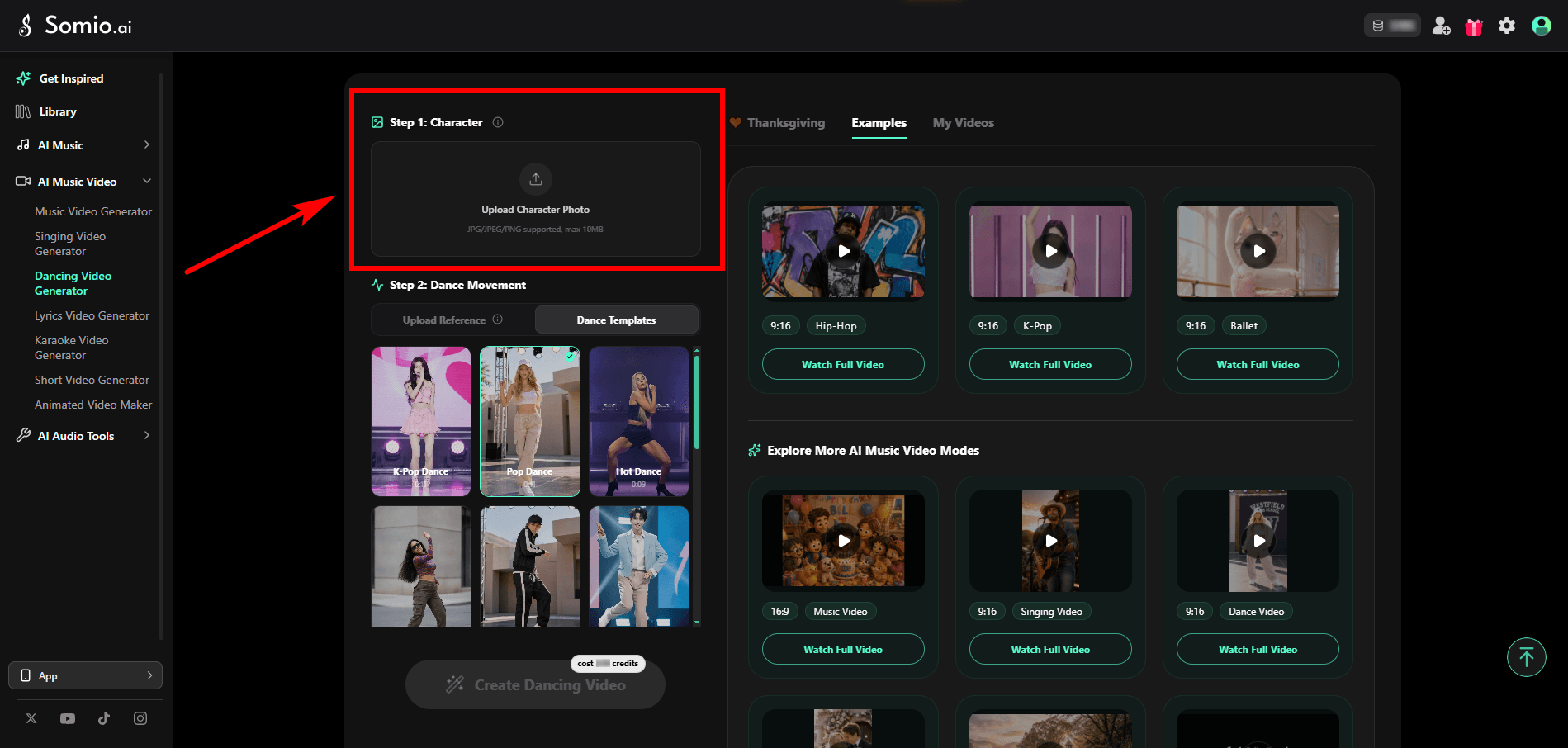
- Step 1Upload Your Photo: Open Somio AI image-to-dance video generator and upload a well-lit, clear photo of your subject (such as a portrait, character, or pet) so the AI can accurately read posture and facial details.
- Step 2Choose Your Workflow: Pick a dance template or upload reference video.
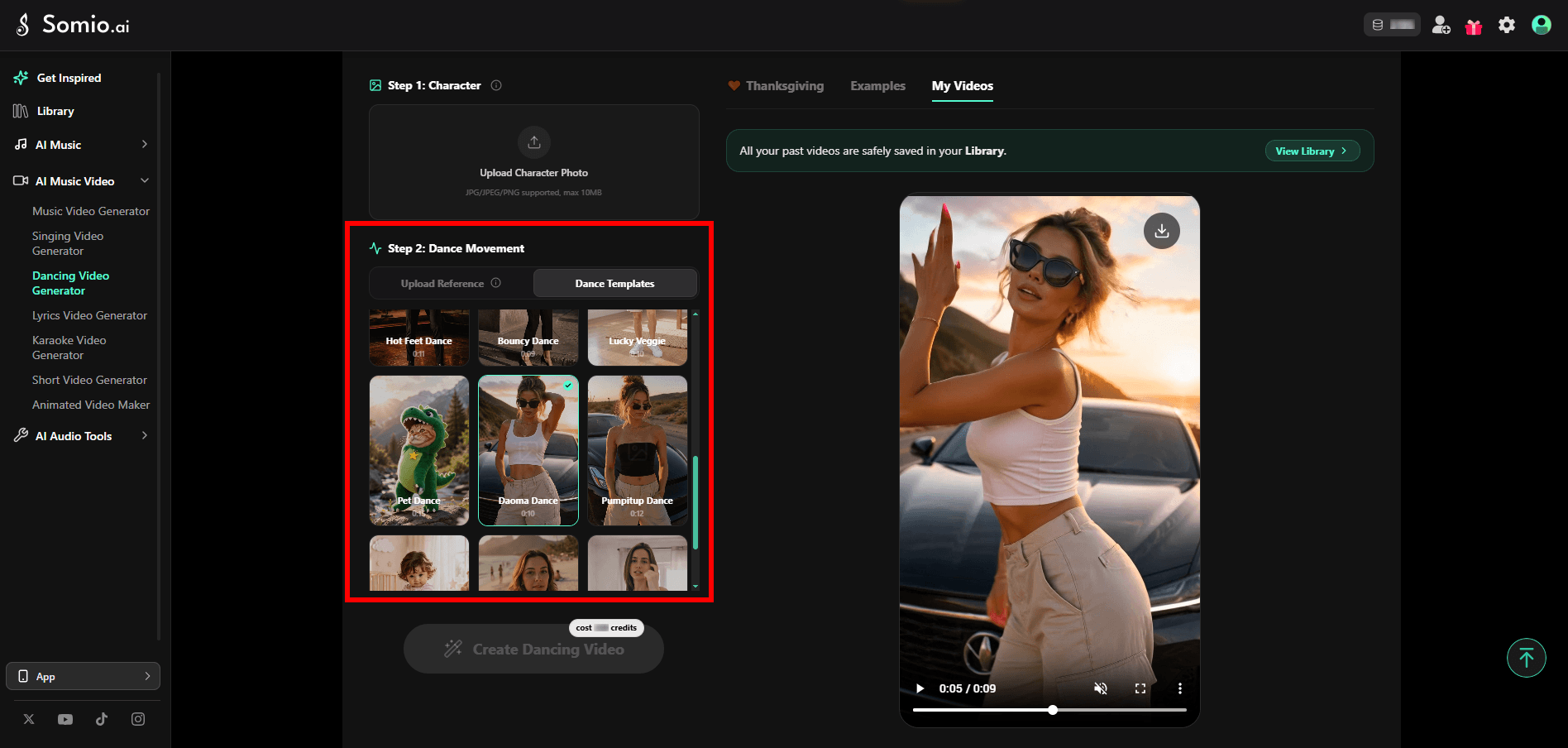
Option A — Dance Templates (Fastest for trends & quick ideas): Switch to Dance Templates, browse preset dance styles, and pick a routine that matches your vibe.
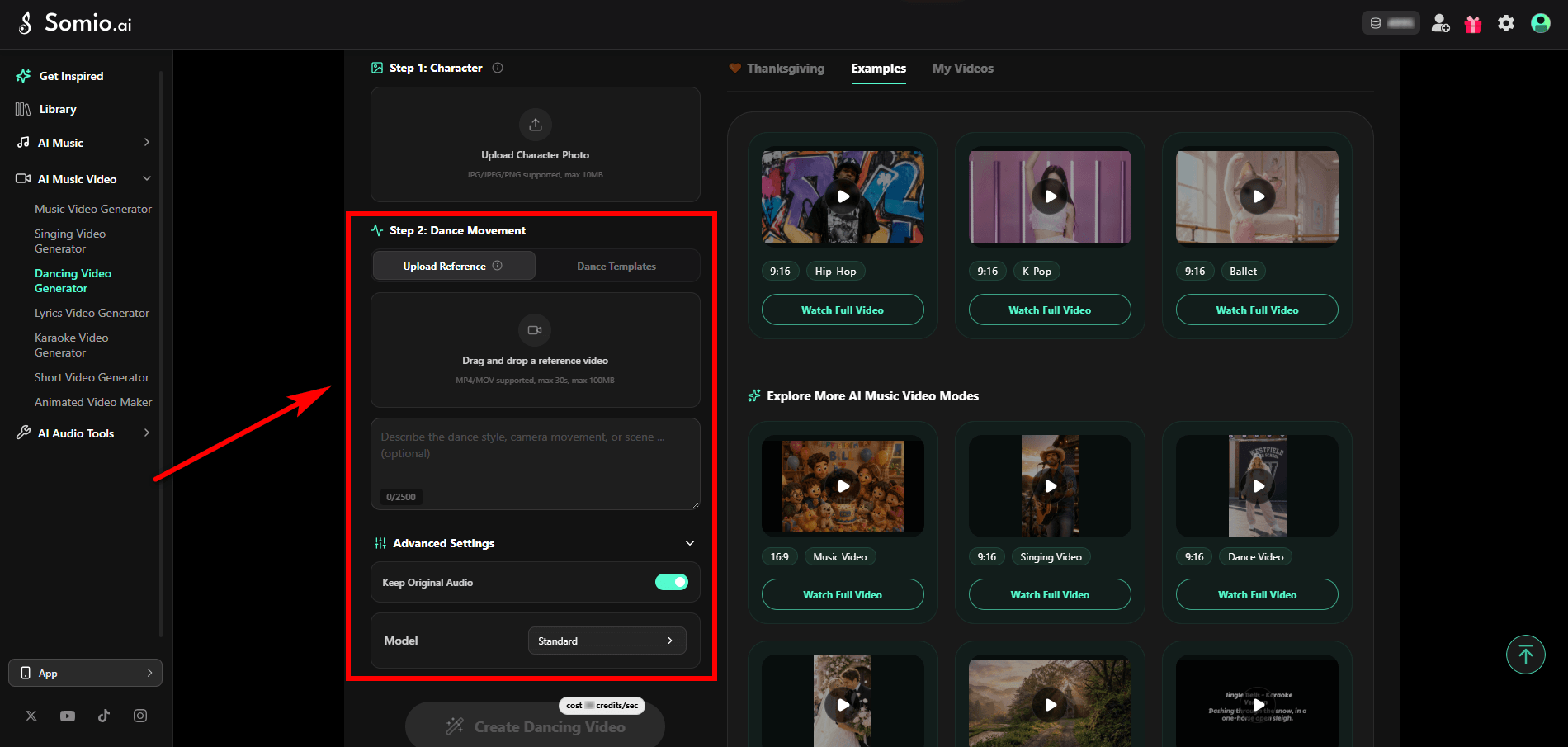
Option B — Upload Reference (Best for custom choreography & control): Switch to Upload Reference and drag and drop a local video (MP4/MOV, up to 30 sec, under 100 MB) — grabbing one with an online video saver first if needed — and add an optional prompt as extra guidance to fine-tune the dance style, camera movement, or scene. Then, choose whether to toggle on Keep Original Audio and select your preferred video generation Model.
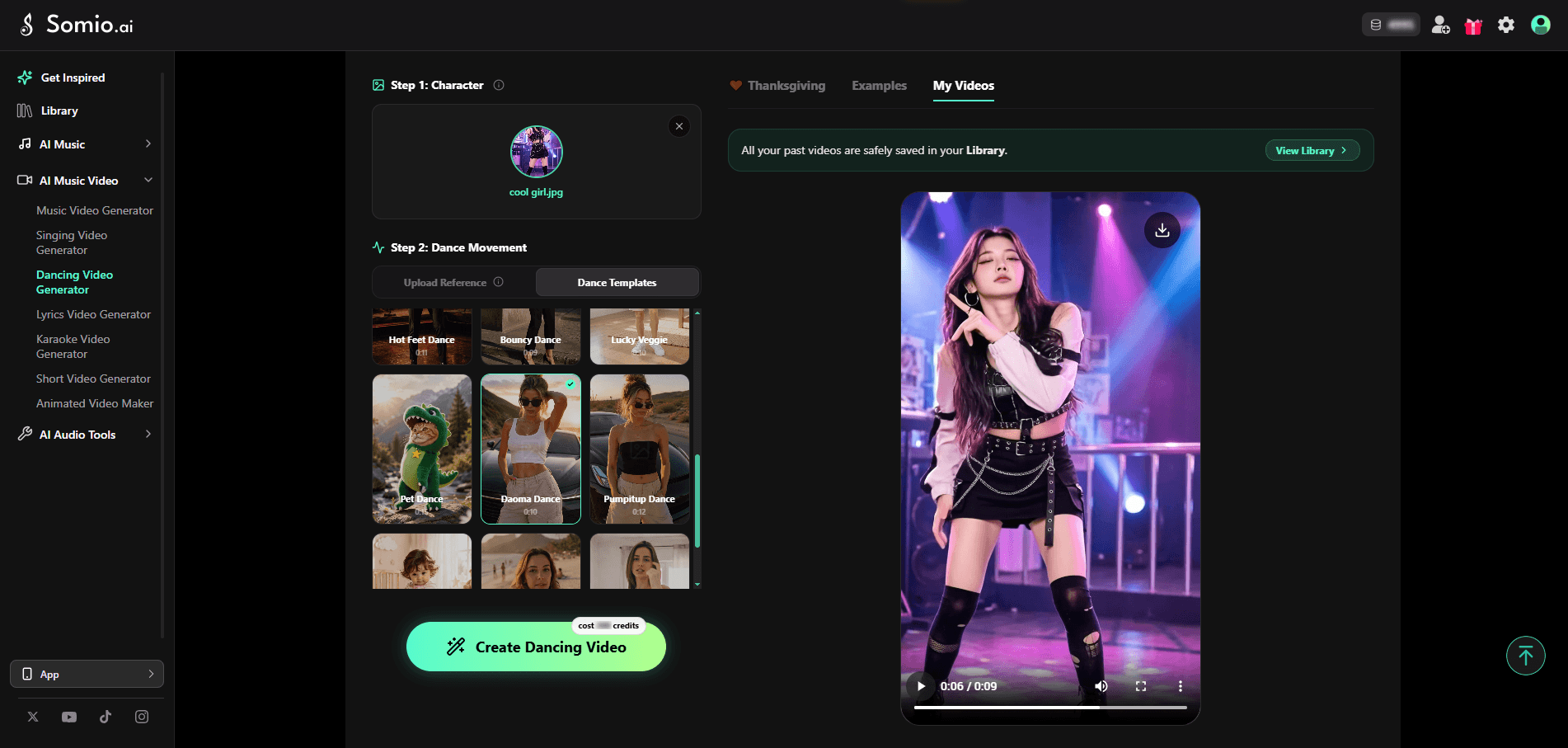
- Step 3Make Your Image Dance: Click "Create Dancing Video," preview the finished clip, tweak your reference choice if needed, and export your video for social platforms.
Bonus: Make AI Dance Videos from Music and Text
Want to invent choreography rather than copy existing moves? Somio AI music video generator enables you to generate original dance videos from your music and text prompts, with an optional subject photo. Instead of relying on a reference clip, your prompt acts as a creative brief — guiding dance style, move sequences, camera movements, multi-angle shots, lighting, and scenes, which you can explore further in our music video guide. For example, match sharp hip-hop hits with fast zooms and neon street angles, or smooth contemporary spins with slow pans and moody spotlights. Because it starts from your track, musicians, songwriters, and creators can easily shape performances around the music, sparking choreography ideas to craft fresh, eye-catching dance videos effortlessly.
Viggle - Best for Viral Meme Dances and Multi-Character Clips
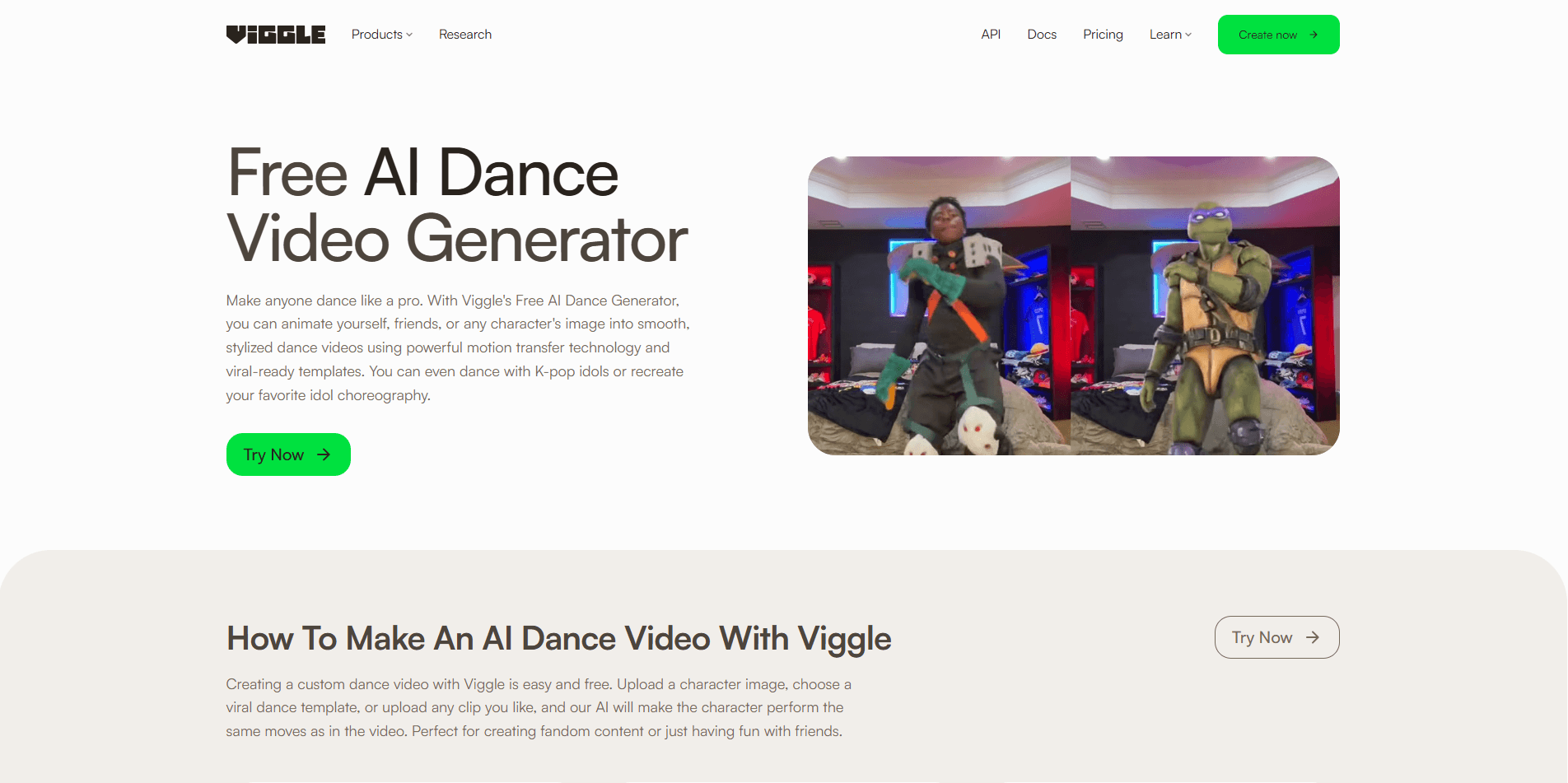
Best for: Meme creators, TikTok trend participants, fan creators, and anyone who wants to make a character copy a specific dance.
Viggle AI dance video generator from image focuses on transferring existing dance movements to characters, allowing you to apply dance motion to a photo or fictional character. Its template library reportedly includes more than 10,000 dance options, so you can browse familiar viral moves, pick a routine, and generate a video without describing the choreography yourself. If you have a specific dance in mind, its Mix workflow also lets you upload a reference clip.
For more creative possibilities, Multi-Track supports replacing multiple people in a dance video, allowing you to create group-style character animations. Combined with its straightforward web and Discord workflows, Viggle AI dance video maker is particularly appealing for meme creators and fans who enjoy experimenting with trending dances and fictional characters.
However, Viggle AI image-to-dance video generator is more focused on motion transfer than music-driven choreography. It doesn't center its workflow on analyzing a song and generating original movements to match its structure, so you'll generally need to handle audio separately.
Pricing: $7.99/month for the entry-level paid option. Free access may include watermarks and generation limitations.
Pros
- Large dance-template library
- Supports uploading dance reference videos
- Multi-character motion transfer
- Web and Discord workflows
Cons
- Character integration can occasionally look unnatural
- Output quality may vary
- Doesn't focus on music-driven choreography
- Some outputs may appear blurry or artificial
Freebeat - Best for Music-Synchronized Choreography
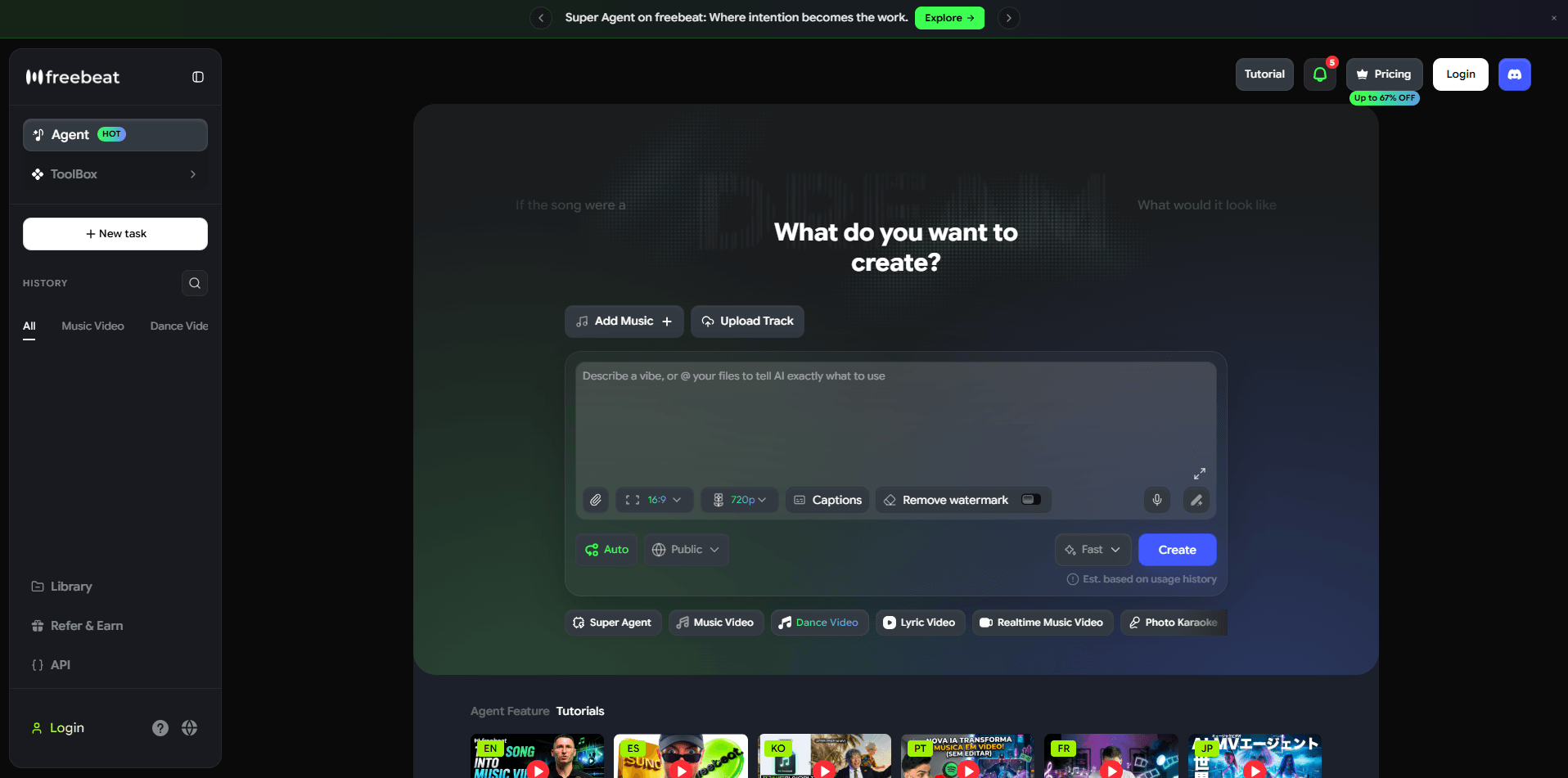
Best for: Musicians, music marketers, creators promoting original songs, and anyone who wants choreography generated around a specific track.
Unlike tools that transfer existing dance movements, Freebeat AI dance video generator takes a music-first approach. Upload a song and a character image, and its AI analyzes the track's tempo, beats, energy, and song sections to generate choreography that follows the music. This makes it particularly useful for creators who want to visualize original songs without finding or uploading a reference dance video.
You can choose different dance styles, including hip-hop and jazz, and customize the visual setting by selecting or uploading a background. Its Studio and Custom modes also offer different levels of model selection, while supporting full-song dance video generation of up to 6 minutes. Freebeat AI dance video maker is therefore well-suited for music videos, song promotions, and dance content built around original audio.
That said, music synchronization doesn't guarantee precise choreography control. Freebeat generates movements based on the track rather than reproducing a specific TikTok routine step by step.
Pricing: Pro subscription at approximately $26.99/month.
Pros
- Generates choreography around uploaded music
- Designed for rhythm and beat synchronization
- Supports long music-driven performances up to 6 minutes
- Studio and Custom modes
- Background customization
Cons
- Doesn't specialize in exact reference-video replication
- Choreography variety and fine visual control can be limited
- Complex movements occasionally show visual artifacts
- Free exports include watermarks
Kling AI - Best for Realistic Dance Motion and Visual Control
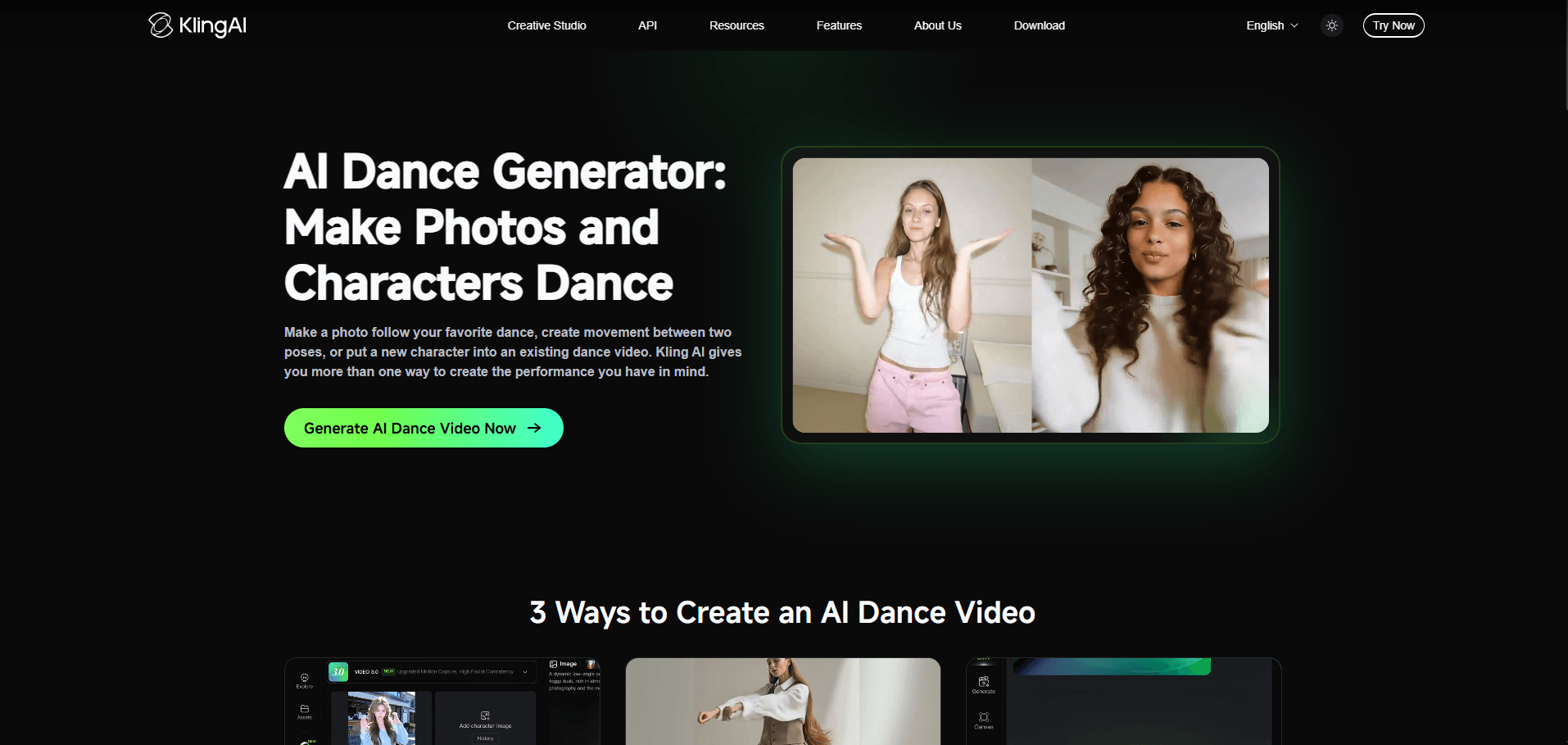
Best for: Advanced creators, video editors, and people who prioritize realistic character animation, detailed visual control, and cinematic quality over a quick one-click workflow.
Kling AI dance video generator from image is a broader AI video-generation platform rather than a dance tool limited to preset routines. Its appeal lies in high visual quality and versatile workflows. When making a dance video, you can animate a character image using movement from a reference clip, set start and end poses, generate transitions, or swap a dancer in an existing video for another character.
Its motion-control workflow is especially valuable when visual fidelity matters, preserving character appearance alongside body motion and facial expressions across realistic portraits, stylized art, or 3D figures. Beyond basic movement, Kling AI dance video maker lets you refine prompts, adjust model settings, and control camera movement, lighting, and framing to build short, polished sequences around a specific creative direction.
That flexibility does bring a steeper learning curve than one-click templates. You may need time to prepare clean reference images, test prompts, and fine-tune settings. Creating a longer performance may require generating multiple clips and editing them together.
Pricing: $10/month for the entry-level subscription.
Pros
- Strong visual quality and realistic motion
- Motion-control and reference-video workflows
- Supports image-driven animation and video replacement
- Greater creative control over scenes and transitions
Cons
- More complicated interface
- Full dance sequences may require multiple generations
- Complex movements may still produce distortions
- Free exports may include watermarks
Photo Dance - Best for Quick Mobile Dance Videos
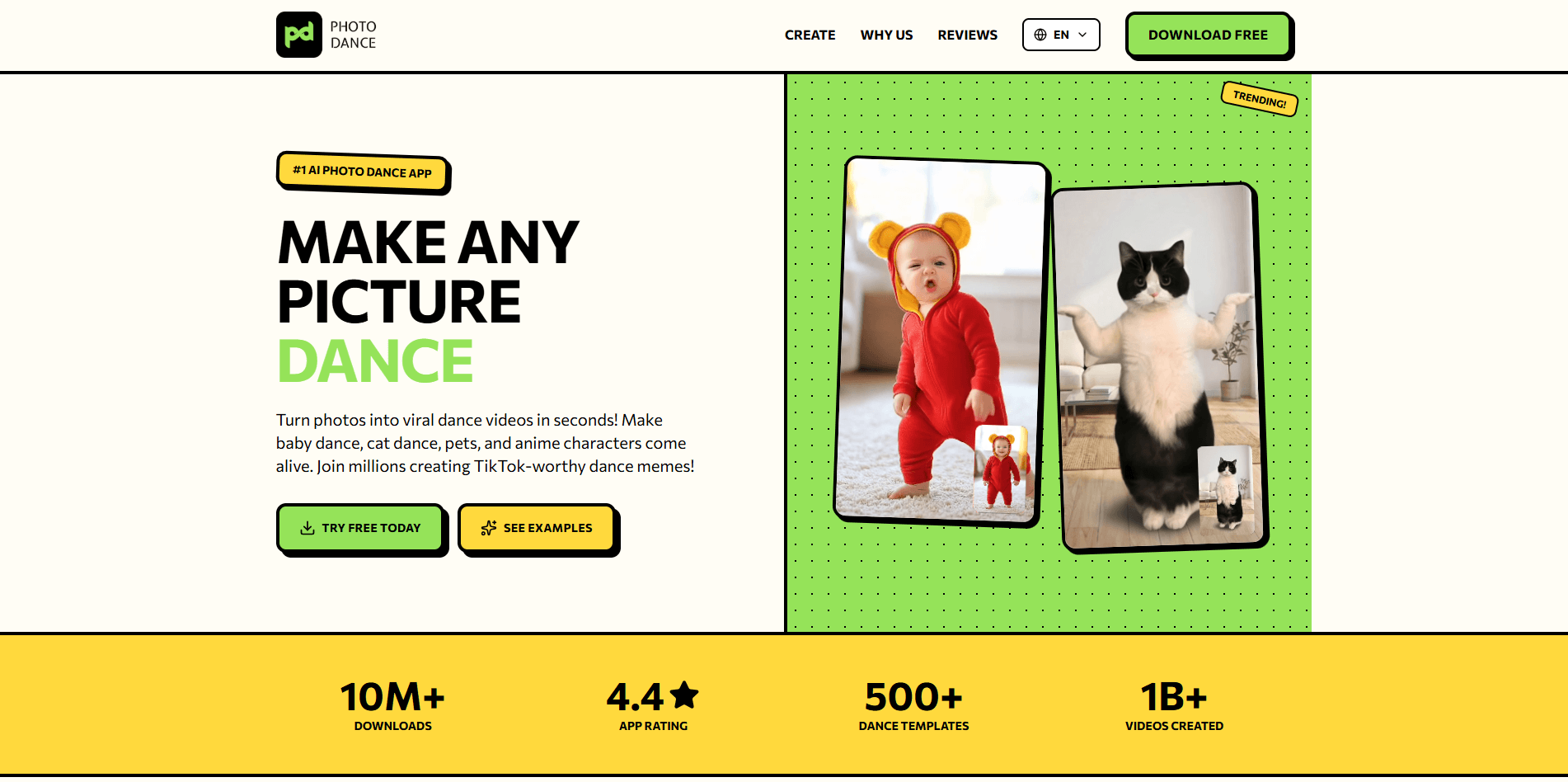
Best for: TikTok and Instagram creators, casual users, meme makers, and anyone who prefers creating and sharing dancing videos directly from a smartphone.
Photo Dance turns photo animation into a quick mobile entertainment experience. Instead of complex AI video controls, the AI dance video maker offers over 500 dance templates — covering popular styles and viral trends — alongside a custom upload option that lets you use your own dance videos as templates. Just pick a photo, choose a preset or upload your own clip, then generate a short vertical video of a friend, family member, or pet ready for social sharing.
Designed mobile-first for fun and ease of use, the app prioritizes speed and simplicity over technical settings. You can rapidly test different dances to match a subject's personality without worrying about camera angles or motion prompts.
Still, its template-driven workflow brings trade-offs. Results depend heavily on your input photo — busy backgrounds, unusual poses, or partially obscured subjects can cause visual distortions. Even with custom video uploads, you still get less control over camera framing and fine visual details than you would with a generator that accepts detailed prompts, and the mobile-only workflow won't suit desktop editors.
In short, Photo Dance AI image-to-video dance animation tool works well when mobile convenience matters more than deep customization. Its preset library and custom clip templates make creating fun dance videos effortless, though weekly pricing and limited fine-grained control may feel restrictive for frequent creators.
Pricing: Starts at approximately $12.99/week via in-app subscription.
Pros
- More than 500 dance templates
- Templates updated around popular trends
- Convenient mobile experience
- Easy social sharing
Cons
- No dedicated web workflow
- Limited customization
- Background distortions can occur
- Facial identity may vary
Vidnoz - Best for Simple, Template-Based AI Dancing
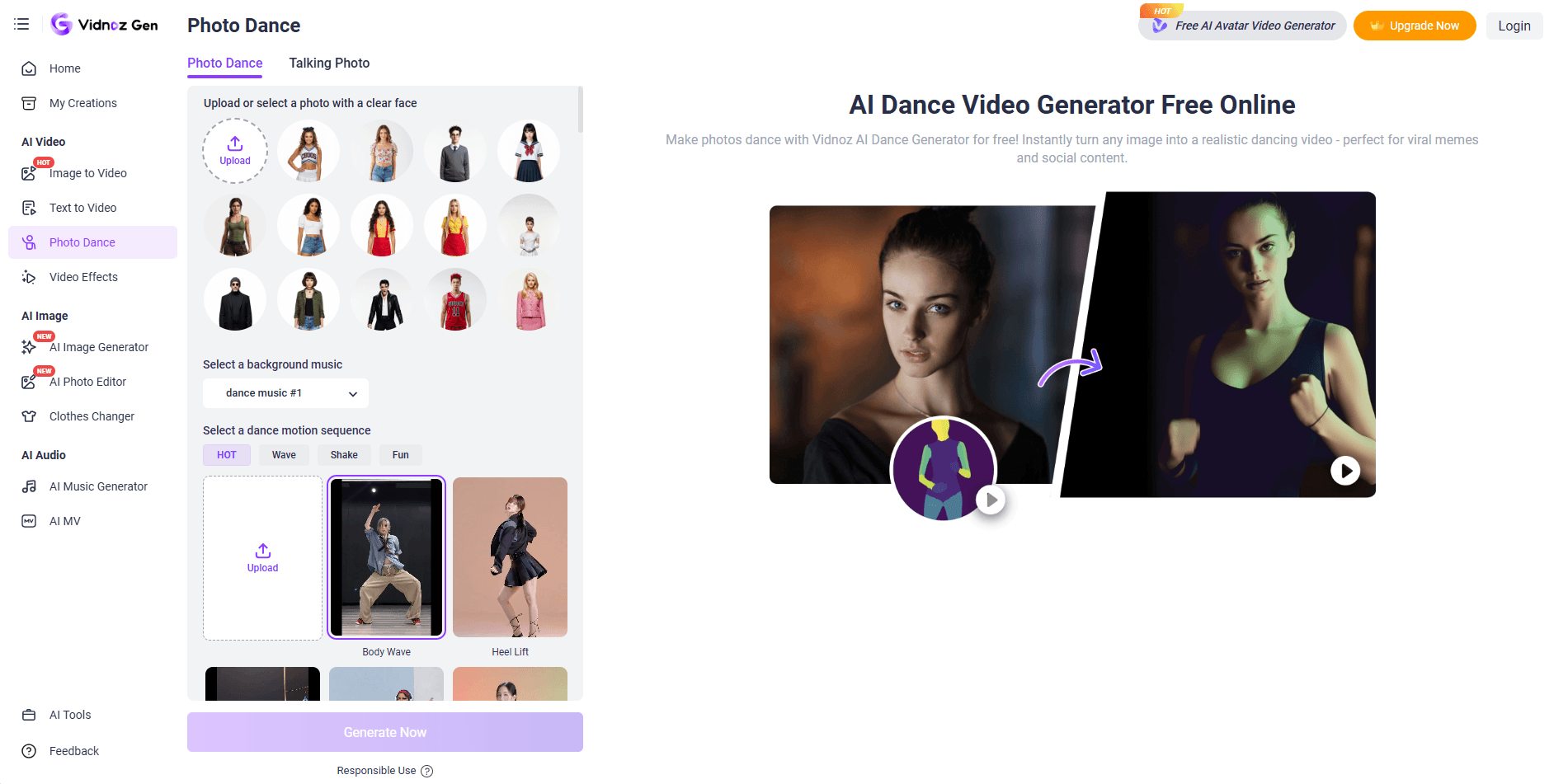
Best for: Beginners, casual creators, people making funny social posts, and anyone who wants a straightforward online tool with ready-made dance movements and music.
Vidnoz keeps AI dance generation simple by combining a photo upload, preset dance motions, and optional background music in one online workflow. The AI dance video generator offers over 115 dance options, such as Body Wave, Hip Sway, ChaCha Steps, and Cat Dance, alongside support for custom movement references. You can easily compare styles without sourcing choreography elsewhere.
Designed for beginners, the process minimizes setup decisions. Upload a clear, front-facing photo — or test with sample images — then select a dance style and preview the built-in background music, or skip audio altogether. Built-in audio saves you from editing tracks in another app before downloading clips for social posts or memes.
This streamlined setup works well for casual entertainment, where animating a photo creates a humorous contrast even if the motion isn't hyper-realistic. Still, simplicity limits customization: you can't fine-tune choreography via detailed prompts or control camera angles, and fast movements or busy backgrounds may cause visual inconsistencies.
All things considered, Vidnoz AI photo-to-dance video generator is a convenient choice for turning photos into dancing clips without a steep learning curve, though its preset-driven workflow fits quick entertainment better than polished, custom productions.
Pricing: $12.99/month. Free generation may be available with limitations.
Pros
- Simple online workflow
- More than 115 preset movements
- Built-in music options and no-music setting
- Supports different character types
Cons
- Limited choreography customization
- Less precise control over motion and camera
- Occasional visual glitches during fast or complex movements
- Free exports may include watermarks
Practical Tips for Better AI Dance Videos
Even the best AI dance video generator can produce disappointing results if your source image or choreography reference isn't suitable. A few simple adjustments can make a noticeable difference in motion quality, character consistency, and the overall appearance of your video.
1. Choose a clear, full-body photo
If the dance includes footwork, jumps, or spins, the AI needs complete visual information to map the body accurately. While an upper-body photo works well for dances featuring only upper-body movements, full-body choreography requires an image where the head, arms, legs, and torso are clearly visible.
Front-facing, well-lit, high-resolution images with sharp facial features work best. Avoid side profiles, strong shadows, blurry details, or photos where the face or limbs are obscured by hair, accessories, or background objects.
2. Match the reference dance to your subject
Not every routine works equally well with every photo. Choreography with fast footwork, extreme rotations, or complex floor moves can struggle to transfer onto a subject with a different pose or body structure, so pick movements that match your subject's visible posture and proportions. If you're animating an illustrated character or pet, choose playful, steady motions that suit its anatomy rather than an overly complex human routine.
3. Use continuous, clear reference videos
When uploading your own choreography, real human dance videos generally produce the most accurate motion transfer, though stylized humanoid characters are also supported. Make sure the very first frame clearly shows your subject, and keep their upper or full body unobstructed throughout the clip.
A single-subject video is best — if multiple dancers appear, the AI automatically tracks the largest subject, which can cause confusion if people overlap. Stick to a continuous shot with smooth movements and avoid jump cuts, heavy transitions, excessive zooming, or rapid camera shifts so that the model can read the choreography cleanly.
Want a deeper step-by-step breakdown? Read our full guide on how to make AI dance videos.
What's the Best AI Dance Video Generator?
The best AI dance video maker depends on whether you want to turn a photo into a fun social media video with templates, recreate existing choreography, or create original dancing from music. Alongside generation methods, smooth movement, clean visual polish, and an intuitive workflow are equally essential to getting dependable results.
For most creators, Somio AI is the best overall pick because it combines an easy workflow, diverse creation options, and lifelike, cohesive motion, making it the best AI dance video generator for everyday use. You can animate different characters, match trending routines, steer the visual direction, and explore music-driven choreography without heavy editing steps.
In the end, the right choice comes down to your creative goals, preferred workflow, and desired output quality. If you want a capable, adaptable setup with minimal friction, try Somio AI dance video generator and bring your next dance idea to life today.
FAQs about the Best AI Dance Video Generator
- What's the best AI tool to make a photo dance?
If you want to turn a still photo into an animated dance clip, Somio AI is the best AI dance video generator for reliable, flexible results. You can upload a character or portrait image and bring it to life through preset dance templates or reference-video motion transfer, with optional prompts to refine the dance style, visual aesthetic, and camera movement when using a reference video. With smooth motion, clean visual polish, and an easy workflow, it helps you get natural-looking dance videos without heavy editing steps or unnecessary trial and error.
- Can I use the generated choreography for commercial projects?
Yes. Somio AI makes it easy to generate viral dance videos quickly without heavy editing, acting as a capable AI image-to-dance video generator for commercial projects. However, commercial usage rights depend on your subscription plan, the content you upload, and the licensing terms that apply to the generated video. You should also ensure that you have permission to use any photographs or characters included in your project.
- How do I make an AI video of me dancing?
You can use Somio to make a picture dance without filming yourself in real life. Start with a clear photo of yourself, ideally a full-body shot with good lighting and minimal obstructions. Next, preview and pick a dance template or upload a reference dance video with the moves you want to copy, adjusting any optional settings where supported. Click the Create Dancing Videos button, and your photo will turn into a dancing clip in just a few minutes.
- Which AI dance app is the best?
For creators looking for a dependable photo dance app, Somio is a strong all-around pick that helps avoid awkward distortions, stiff motion, and complicated setups. You can preview dance templates, transfer motion from reference videos, and use optional prompts to guide movement style and camera angles — all within a simple workflow. With cohesive motion, clean visuals, and minimal trial and error, it makes it easier to get usable results for quick social clips or custom dance edits.
- Is there a free AI dance video generator available?
Yes. You can generate music with Somio AI and share your creations (or tutorials and reviews) on social platforms to receive free credits once approved. With those credits, you can use the Somio free AI dance video generator to turn still photos into dancing videos, test preset templates or reference-video choreography, and generate clips without upfront costs.
Curious about the output?
Watch the video demo below.