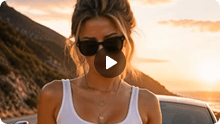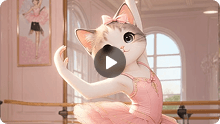
Have you ever wanted to turn a favorite photo into a funny dance clip or create a trending dance video without filming yourself? With AI, you no longer need to learn choreography, set up a camera, or spend hours editing footage. An AI dance video generator can instantly bring a still image to life with dynamic movements in just a few steps.
The best part is that you don't need professional editing skills or complicated software to get started. Whether you want to animate a baby photo, make a pet appear to dance, or give a portrait a playful twist, with a clear photo and a few thoughtful adjustments, you can create personalized dance clips for social media, family fun, or special occasions.
In this guide, you'll learn how to make AI dance videos online, from uploading your photo to choosing a dance template or using your own reference video. We'll also cover practical prompting tips, creative ideas for different audiences, and ways to improve your final result. Ready to give your favorite pictures a new move? Let's get started.
What Is an AI Dance Video Generator?
An AI dance video generator is a tool that transforms a still image into a video featuring dance movements. Instead of recording a real performance or animating every body movement manually, you can upload a photo and let AI generate the motion for you.
Depending on the tool, you may be able to choose a ready-made dance template, upload a reference video, or add a text prompt to guide the result. This makes AI dance creation useful for social media clips, playful family videos, digital characters, personalized greetings, and creative experiments.
For example, if you have a clear portrait, you can use an AI image-to-dance video workflow to turn it into a lively clip. You can also animate an eligible pet photo or illustrated character.
The key is to start with a suitable image and choose a dance style that fits your idea. You don't need professional editing skills to get started.
How to Make AI Dance Videos from a Photo Online?
When choosing an AI dance video generator from a photo, consider how easily you can animate an image and guide the dance style. A clear workflow and flexible creative options make it easier to turn portraits, baby photos, or pet pictures into engaging dance clips. You want to animate a photo without building every movement from scratch. Whether you want a quick option with built-in templates or precise control using a custom reference video, flexible creative choices make it easier to turn portraits, baby photos, or pet pictures into engaging dance clips. Here is how both methods work and when to use each.
Best AI Dance Video Generator for Photo Animation
If you want to turn a photo into a stunning dance clip, Somio makes the process straightforward. Its AI Dance Video Generator lets you start with an image and choose from ready-made dance templates or your own dance reference video. You can also add an optional prompt and adjust the available generation settings before creating your video.
Somio brings the main steps together in one online workflow: upload your image, select a dance style, customize the available settings, and make an AI dance video in minutes. You can choose a ready-made template when you want a quick starting point, or use a reference video when you have a particular dance in mind.
This flexibility makes Somio a practical option for creators who want to experiment with different dance styles, create funny clips for friends, or prepare short videos for social platforms.
Ready to try it? Open the Somio AI Dance Video Generator and start with a photo you love.
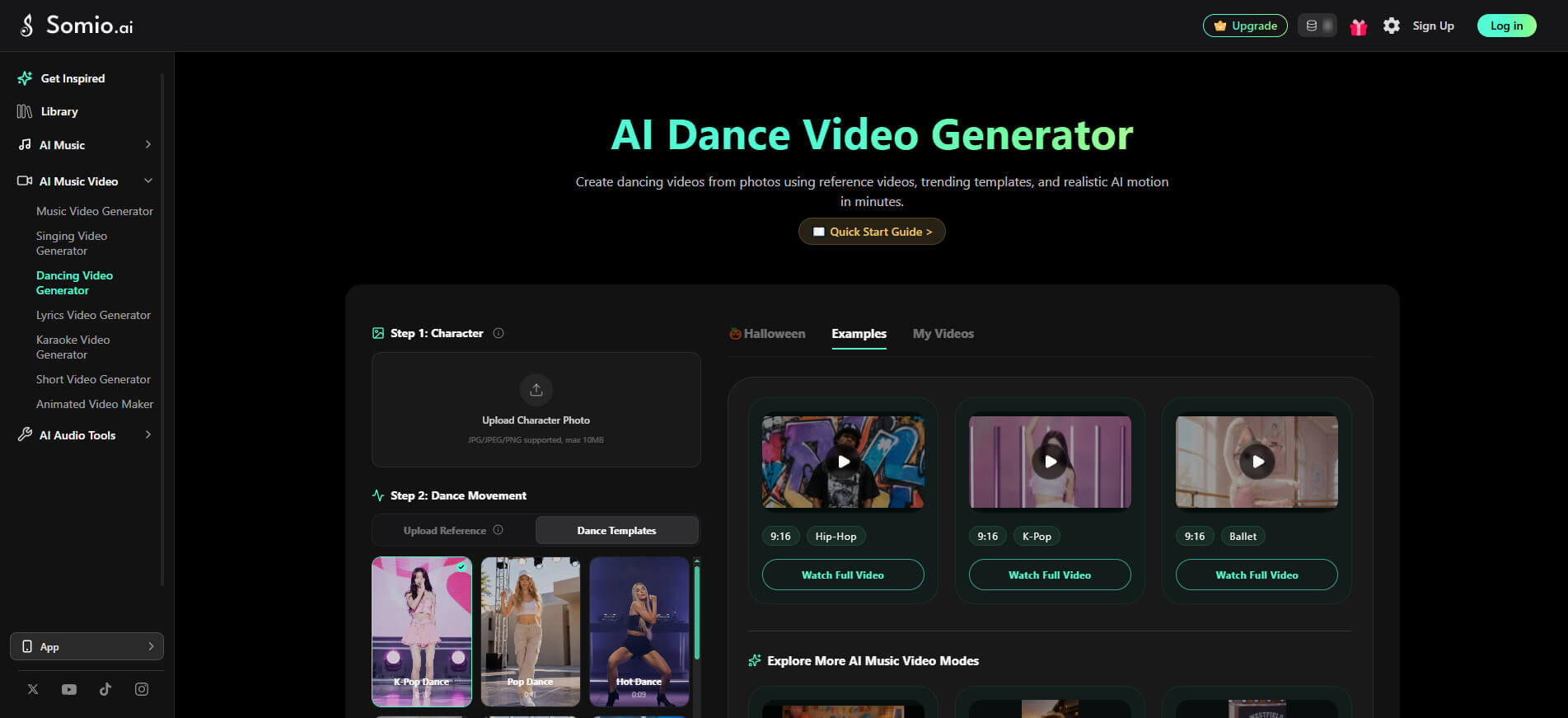
- Personalized dance videos from photos
- Ready-made dance templates for creation
- Custom dance reference videos
- Smooth and natural dance movements
- Optional prompts for motion, framing & scene details
- Watermark-free video downloads
- Flexible AI models and generation settings
- High-quality video generation in minutes
- Simple workflow with no editing skills
Somio offers two main ways to create a dance video, so you can choose the workflow that best fits your idea. Let's look at how each creation mode works.
Create Dance Videos with Templates
Want to make a dance video without finding a reference clip first? Templates give you a simple starting point.
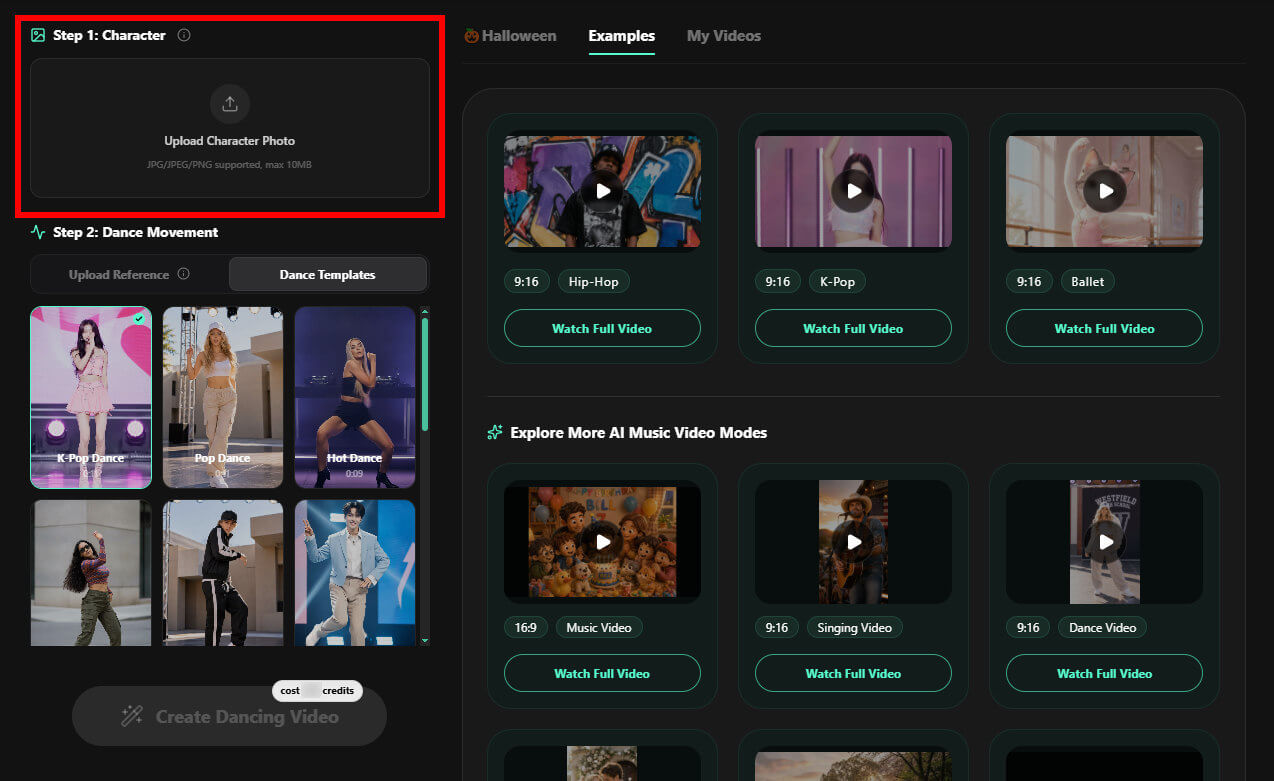
- Step 1Upload your photo: Open Somio's AI Dance Video Generator and upload a clear image of your chosen subject. A front-facing, full-body photo with good lighting is a useful starting point because it makes the subject easier to see, and helps the AI generate higher-quality dance videos.
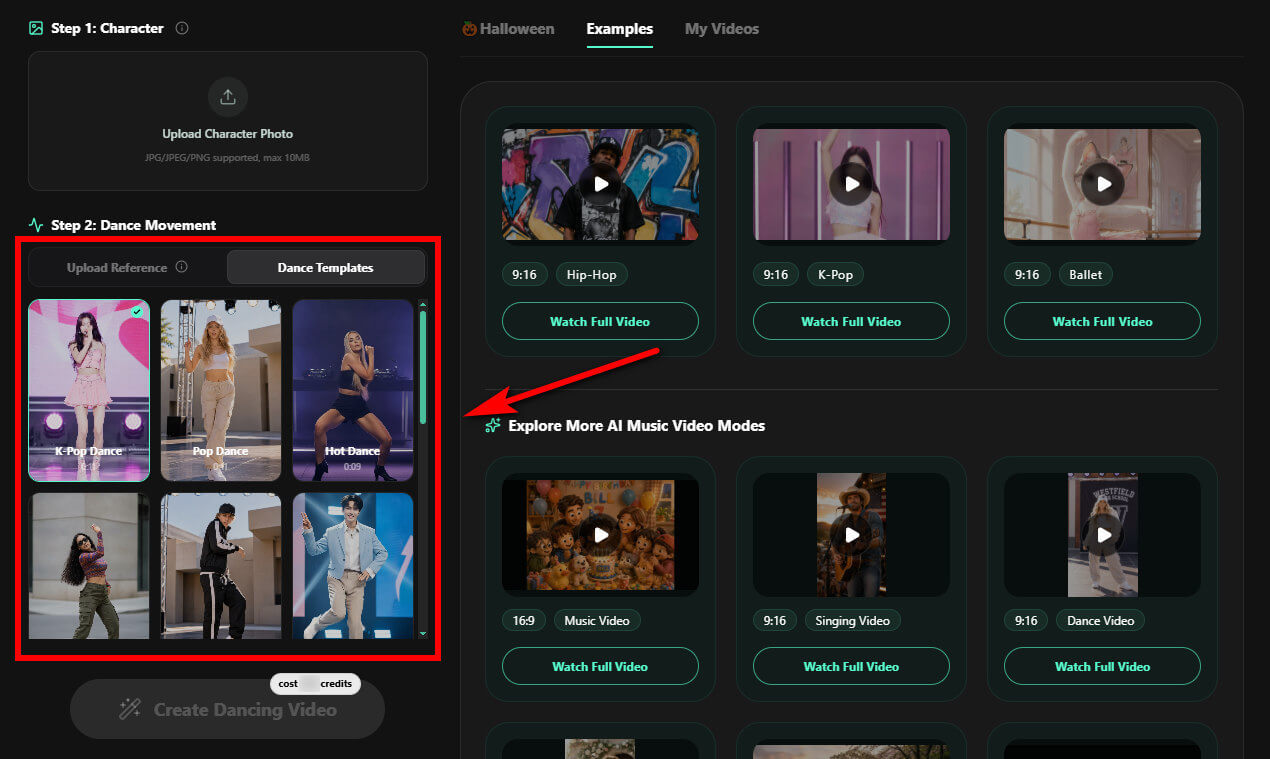
- Step 2Choose a dance template: Browse the available options and select a style that matches your idea. You might choose a playful dance for a funny clip, a high-energy routine for social media, or a performance-inspired style for a character video.
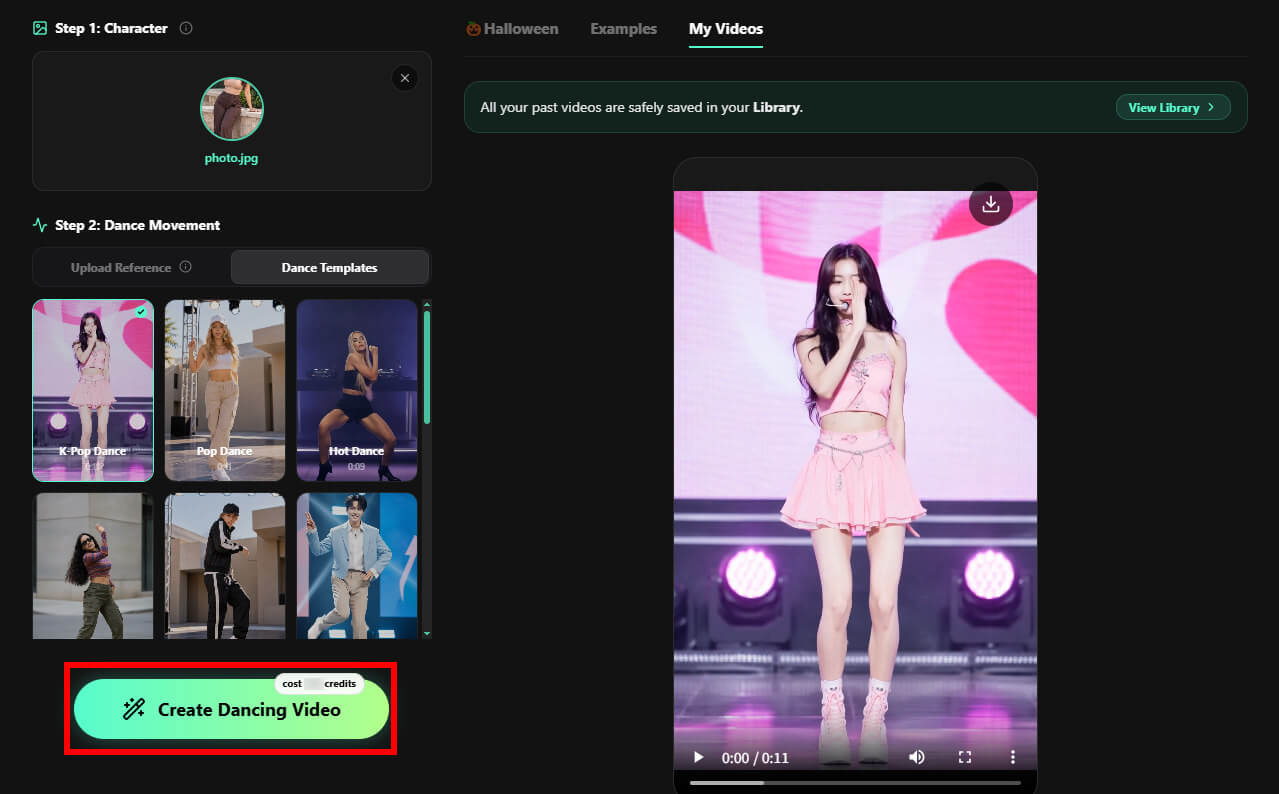
- Step 3Create your AI dance video: Click "Create Dancing Video" to generate your dance clip in minutes. Once the video is ready, preview it to see whether the movement and overall look fit your idea. If you want a different result, try other templates.
Animate Photos with Reference Videos
Have you seen a dance you want your character or photo to perform? A reference video gives you a more specific starting point than choosing a template alone.
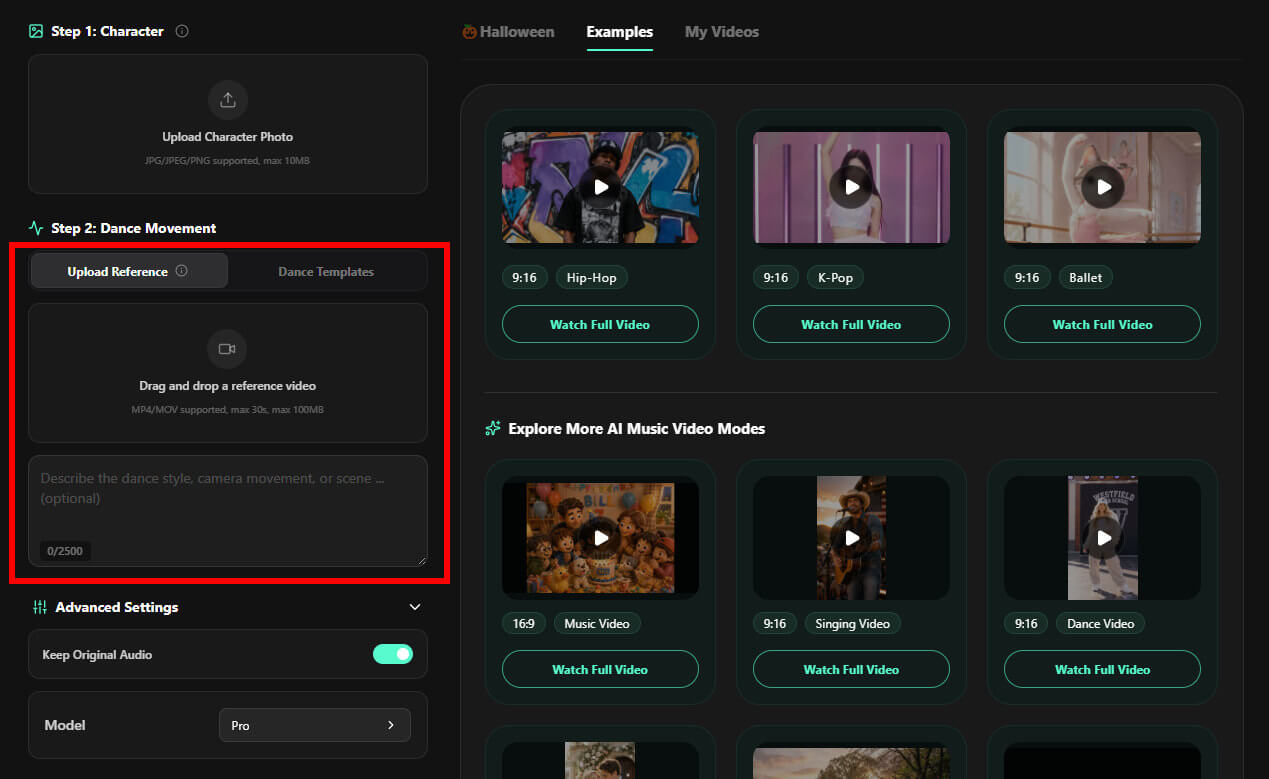
- Step 1Prepare your photo and reference video: Choose a clear image of the subject you want to animate, preferably a well-lit, front-facing, full-body photo so the subject's pose is easier to recognize. Then prepare a dance clip that demonstrates the movements you want to use.
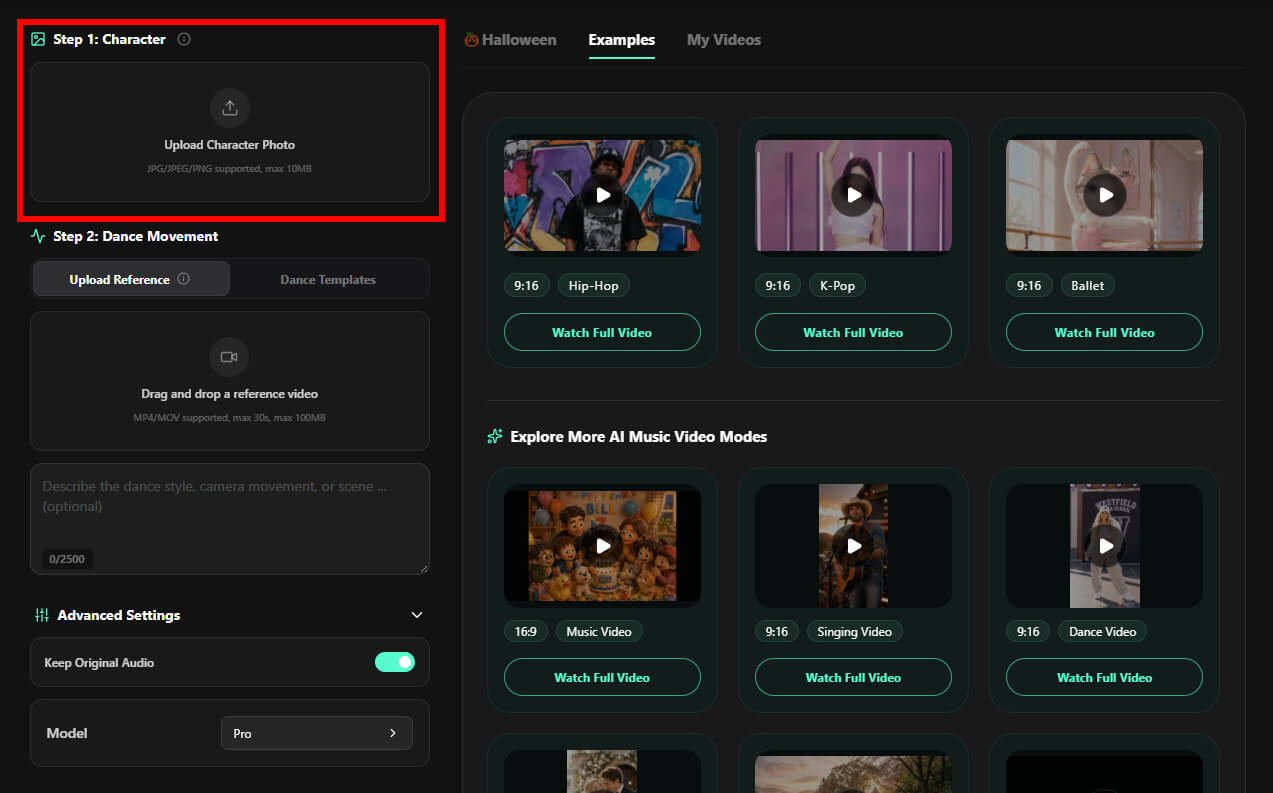
- Step 2Upload the reference video: In Somio's dance creation workflow, select the reference-video option and provide your clip. Choose footage with visible movements and a dance style that suits your subject and intended result. If needed, enter an optional prompt to clarify the look or mood you want.
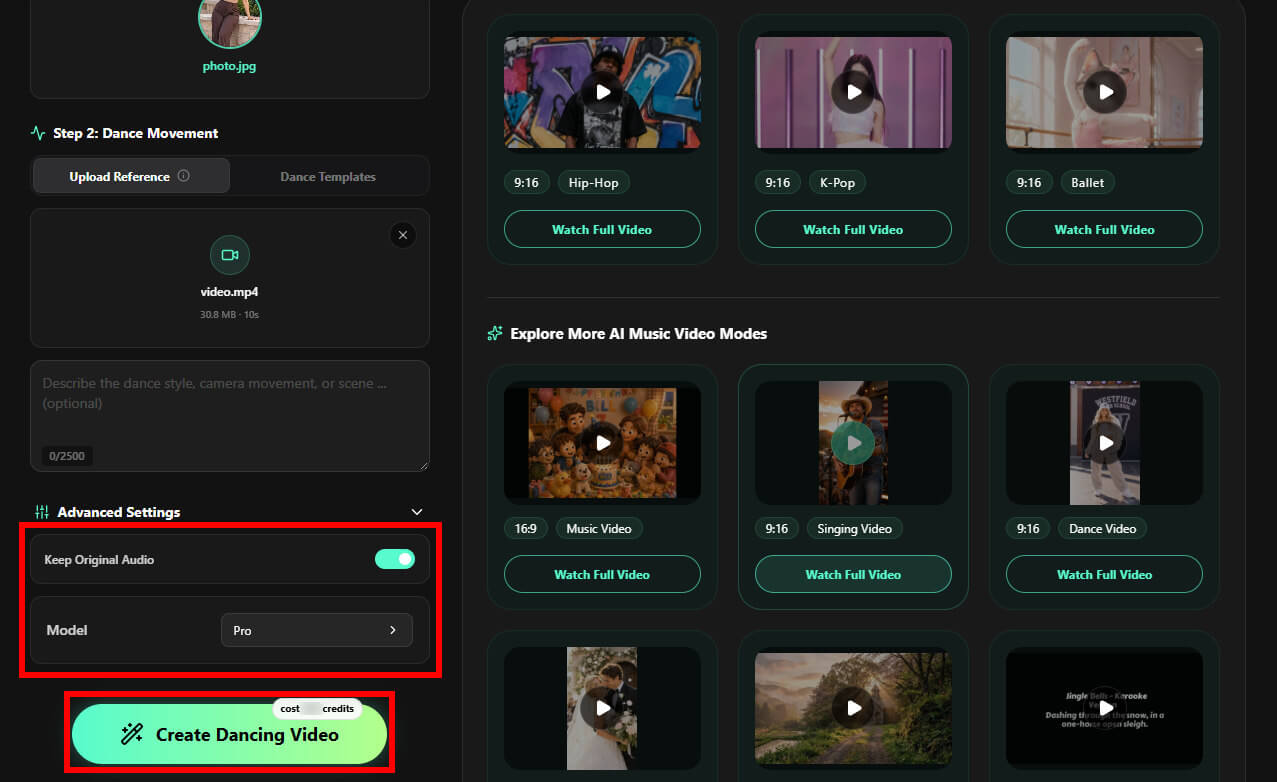
- Step 3Customize settings and generate: Confirm your preferred model and whether to keep the original audio, then click "Create Dancing Video". After a few minutes, preview your dancing video once it's ready to see if it meets your expectations, or download it directly to share on your social platforms.
Bonus Tips: Make AI Dance Videos from Prompts
In addition to the two methods mentioned above, you can also create dynamic dance videos using our AI Music Video feature. This mode allows you to generate a story-driven dance video simply by uploading your favorite music and adding text prompts to describe the desired choreography, mood, and narrative. You can also optionally upload reference images to better guide the overall visual direction.
To fine-tune your creation, you can select your preferred aspect ratio (landscape or portrait), resolution, whether to display lyrics, and the video generation model. Once everything is set, you can instantly generate a captivating, narrative-rich dance video.
Want to learn more? Check out our detailed guide: How to Make an AI Music Video.
How to Create Different Types of AI Dance Videos
Once you understand the basic workflow, you can adapt it to different subjects and creative goals. Somio AI dance video generator offers a rich library of trending dance templates updated regularly to keep your content fresh. Whether you want a quick viral dance or need precise control over specific choreography by uploading a reference video, Somio makes it easy to bring your characters to life. Here are a few creative ideas to inspire your next masterpiece:
- Photo-to-dance videos: Turn a favorite portrait into a playful animated clip. If you're searching for how to make AI dance video from photo, start with a clear image, choose a template or reference video, and generate a movement style that fits the subject. This approach can work for personal photos, digital avatars, and illustrated characters.
- Baby and kids dance videos: A lighthearted dance clip can make a fun birthday greeting, family message, or personal keepsake. If you're exploring how to make AI baby or kids dance videos, choose an appropriate photo and a cheerful, age-appropriate dance style. Use children's images responsibly, obtain the necessary permission, and avoid sharing identifying details without consent.
- Dance videos for TikTok and Reels: Short, energetic dance clips can be a creative way to join a trend or give your profile a fresh look. When planning content for TikTok, Instagram Reels, or YouTube Shorts, choose a dance style that fits your audience and concept.
- Pet and character dance videos: You can also experiment with supported pet photos, anime characters, mascots, or digital avatars. Try matching the dance style to the character's personality: a playful routine for a pet, a dramatic performance for an anime character, or a coordinated dance for a digital mascot.
Tips for Creating Better AI Dance Videos
A good result starts before you click Create. The right image, clear instructions, and a suitable dance style can all help you get closer to the video you have in mind.
Choose a Clear Photo
Use a sharp, well-lit image where the subject is easy to identify for AI dance videos. A front-facing, full-body photo is often a useful choice for dance animation because it gives the model a clearer view of the subject's pose and proportions. Avoid heavily blurred images, obstructed limbs, or busy backgrounds when possible.
The input image still matters: AI may struggle with hidden body parts, unusual poses, or low-resolution details. If the first result looks unnatural, try a clearer photo before changing everything else.
Write a Specific AI Dance Video Prompt
A prompt helps communicate the creative direction you want. Rather than writing only "make this person dance," describe the dance style, energy, mood, and visual details that matter to your idea. You can use this simple formula:
Subject + Dance Style + Movement + Mood + Visual Details
You don't need to describe every frame. Start with the most important details, then adjust your prompt if the result doesn't match your expectations. When using a reference video, focus your prompt on the visual direction you want rather than giving conflicting movement instructions.
Match the Dance Style to Your Idea
Consider who will watch your AI dance video and the feeling you want to create. A playful routine may suit a family greeting, while a high-energy hip-hop dance may work better for a social media clip. K-pop-inspired choreography, ballet, salsa, jazz, and other styles can offer different creative directions when supported by your chosen template or reference.
Preview and Refine Before Sharing
Always review the generated AI dance video before publishing it. Check whether the subject's appearance remains recognizable, the body movements look coherent, and the overall clip matches your intended style. If something feels off, try another source image, template, reference video, or prompt.
What Are the Benefits of Creating AI Dance Videos?
AI dance creation gives you a way to experiment with motion without recording a full performance. Here are some of the reasons creators use it.
- Create without filming a dance: You can start AI dance videos with a photo instead of setting up a camera, finding a location, or performing the routine yourself.
- Explore different dance styles: Templates give you dance videos a quick starting point, while reference videos let you work toward a more specific choreography idea.
- Turn ordinary photos into engaging content: A portrait, character image, or suitable pet photo can become a playful dance video for personal projects, celebrations, or social media.
- Simplify the creative process: You don't have to animate every movement by hand. Somio AI dance video generator combines photo upload, dance selection, optional prompting, and video generation into a single online workflow.
- Try new ideas with less setup: Whether you're making a funny clip for friends or experimenting with a new content format, you can focus more on the concept and less on the technical steps.
It's Your Turn to Make AI Dance Videos
You don't need a dance studio, a camera crew, or advanced editing skills to get started. With a suitable photo and a clear creative direction, you can use Somio AI dance video generator to explore different dance styles through templates or your own reference video.
Now that you know how to make AI dance videos, choose a photo, pick the workflow that suits your idea, and give it a try. Adjust your prompt or settings when needed, preview the result, and refine your creation until it feels right for your project.
Ready to bring a photo to life? Try Somio AI dance video generator and start creating your own dance video.
FAQs About How to Make AI Dance Videos
- Can I make an AI dance video from a photo?
Yes. With the Somio AI dance video generator, you can upload a photo and choose a ready-made dance template or provide a reference video to guide the movements and generate your dance video instantly. For a better starting point, use a clear, well-lit image where the subject is easy to see. The final result depends on the source photo, selected dance style, and generation settings.
- What should I include in an AI dance video prompt?
Describe the subject, dance style, movement energy, mood, and any important visual details. For example, you might request a cheerful hip-hop routine with smooth transitions. Keep your instructions clear and consistent to craft AI dance videos. If you're using a reference video, avoid adding prompt directions that conflict with the movements you want.
- Can I use AI to create dance choreography?
Yes. AI dance tools can help you explore choreography ideas by applying a template or using a reference performance to guide the generated movements. Somio AI dance video maker is designed to animate a photo with a selected dance style or reference video. You can preview the clip and refine your inputs when needed.
- Can I use my own dance reference video?
Yes. You can earn free credits by generating music with Somio AI and sharing your creations (or tutorials and reviews) on social platforms. Once approved, these credits allow you to generate AI dance videos without upfront costs. Simply upload a photo, then use the Somio AI dance video generator to let your own dance reference video guide the generated performance. Choose a clip with clearly visible movements and a style that fits your subject.
- How to make AI dance videos for free?
Somio makes it easy to generate AI dance videos by turning your favorite photos into animated dance clips. Choose a ready-made dance template or upload a reference video to guide the movements, then add an optional prompt and adjust the available settings. You can get started online without filming yourself or learning complex video editing skills.
- Can I share AI dance videos on TikTok and Instagram Reels?
Yes. Somio lets you create AI dance videos from photos and prepare clips for sharing on platforms like TikTok and Instagram Reels. Generate a watermark-free video and share your creation with your audience. Whether you're making a fun clip with friends, animating a favorite pet photo, or joining a dance trend, Somio makes it easier to create engaging short-form content.
Curious about the output?
Watch the video demo below.