
Upload Your Music File
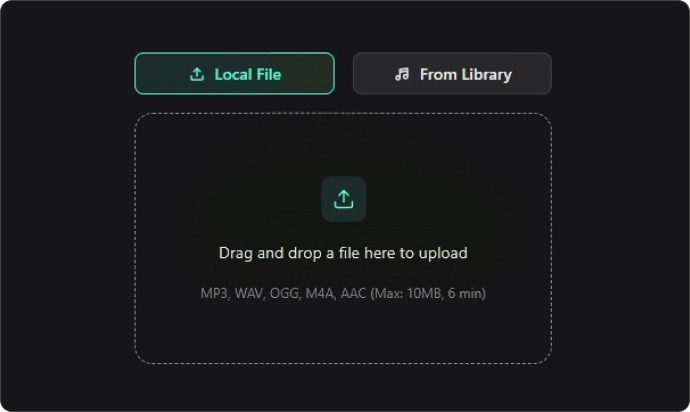
Pick a song or vocal demo up to 10 MB and 6 minutes from your device, or pull a track from your Somio AI workspace. MP3, WAV, OGG, M4A, and AAC files are ready to transform right away, with zero stem splitting needed.
Change song genres on familiar tracks without losing their melodic identity. Explore fresh arrangements, moods, and instrumentation to redefine your sound.
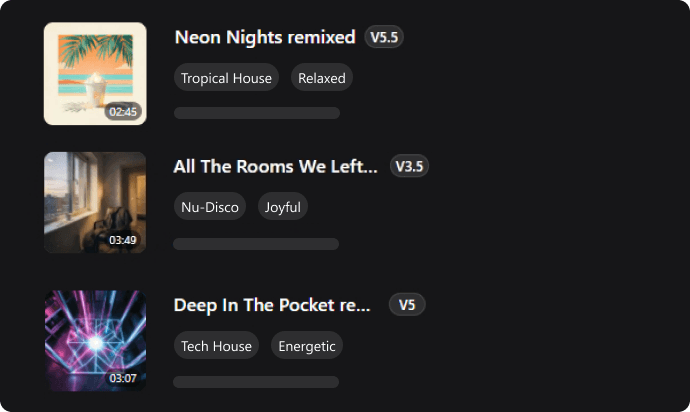
Check out genre swaps as well as updated lyrics and vocals across sample clips.

Wish your favorite song sounded completely different? Turn a ballad into cinematic orchestral music, an acoustic demo into energetic EDM, or a pop track into Rock. Our AI music genre changer makes genre experimentation effortless, with preset styles and custom prompts for niche genres or creative blends. Reimagine the same melody in different styles without manually rebuilding every arrangement.
Love the original melody and vocals but want a different sound? Somio AI song genre changer reimagines your track in a new style without losing its recognizable character. From new instrumentation to fresh rhythms and arrangements, each remix builds on the original musical foundation, helping your track feel both excitingly different and naturally familiar.
A convincing genre change takes more than swapping instruments. Somio AI music genre converter reworks the arrangement, including rhythms, drum patterns, basslines, accompaniment, and musical layers, to match your chosen style. Turn a ballad into dance music or pop into jazz, creating a fresh sound that feels like a complete musical reinterpretation.
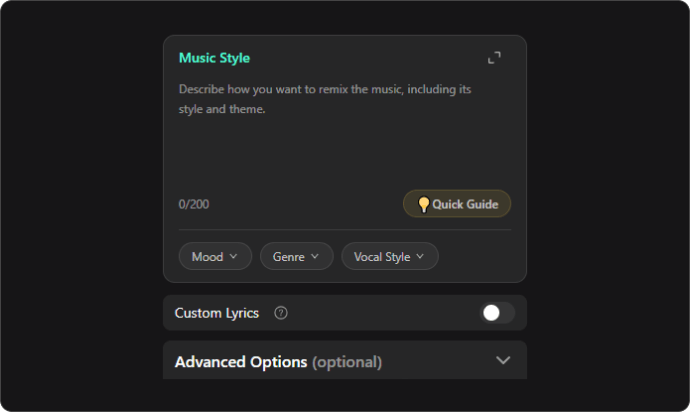
Want to do more than just change song genre? Customize your remix's mood, tempo, and instruments to create the right emotional atmosphere. Add dreamy textures to pop, powerful drums to rock, mellow rhythms to EDM, or romantic warmth to a ballad. Combine different musical elements to explore unique sounds that go beyond standard genre presets.
New instruments and rhythms shouldn't make your remix sound muddy or harsh. Somio AI song genre converter helps balance musical layers, improve clarity, and blend vocals with the new arrangement for a smoother, more polished sound. Spend less time fixing audio issues and more time exploring creative styles.
Take your transformed song wherever your next project leads. Download in MP3 for easy sharing, uploading, and everyday listening, or choose WAV for uncompressed audio that's better suited to further editing, mixing, and music production. Enjoy flexible export options for different creative workflows.
Forget complicated DAW setups and hours of manual editing. Somio AI music genre changer works right in your browser. Simply upload a song, choose your preferred music style, and generate fresh remixes in seconds, with no software installation or professional music production skills required.
Take your music creations further with commercial-use rights. When using our AI song genre changer on properly licensed original audio, you can use the generated remixes in videos, content creation, promotional materials, and other commercial uses, giving you more freedom to bring your musical ideas into your work.
A new genre may call for a different vocal delivery or fresh lyrics. Somio music style changer lets you customize the singing style that complements your chosen genre and rewrite lyrics to match your transformed track's mood. Keep the original words or give your song a new voice and message for a more personalized result.
Somio AI offers more than genre transformation. Use music replacement to switch styles on a specific section, isolate clean vocals with the vocal remover, or split drums, bass, and melodies using the stem splitter for deeper DAW mixing. Fine-tune the audio you want without interrupting your workflow across different tools.

Not sure which style best brings your melody to life? Use Somio AI music genre changer to reimagine original songs, demos, and musical sketches across genres. Turn a rock idea into a softer acoustic version or a pop melody into jazz, exploring new arrangements before committing to a final production.

Struggling to find music that fits your footage? Transform existing tracks into genre-matched background music with our AI song style changer. Turn upbeat pop into mellow lo-fi or create atmospheric arrangements for travel vlogs, tutorials, promos, and social media videos to make every scene feel more cohesive.

Need a fresh sound for your next DJ set? Somio AI music style changer lets you rework familiar Pop tracks into House, Techno, or EDM styles. Experiment with different tempos, rhythms, and arrangements to explore new musical directions, find the right dancefloor energy, and inspire your next remix.

Even a favorite song you have heard a hundred times can feel brand new again. Give it a fresh twist with Somio AI music genre converter. Reimagine familiar melodies as Rock, Lo-fi, Jazz, or EDM, and create playful remixes for fan edits, short videos, or simply a new way to enjoy the music you love.
Remix your songs with AI. Change the vocals, lyrics, or musical style as you like and try out different versions.
Extend your songs with AI to add new sections and keep the music flowing naturally for longer tracks.
Replace selected sections of your songs with new music while keeping the rest of the track unchanged.
Turn your favorite songs into new AI covers with different voices and styles for a fresh musical take.
Remove vocals from your songs with AI to create clean instrumental tracks for listening, editing, or new creations.
Describe the music you want in text and let AI generate a song based on your description and musical preferences.
You can change a song's genre with AI by uploading an audio file to Somio AI music genre changer, choosing or describing the genre you want, customizing your mood, tempo, instruments, vocal styles, or lyrics if needed, and clicking the Create button. The AI then instantly reimagines the song's arrangement and sound according to your preferences. Once the remixes are ready, you can listen to them and download the finished audio in MP3 or WAV format.