Have you ever loved a song but wished you could change a few words? Maybe you want to replace someone's name, turn a familiar hit into a funny parody, or make the lyrics fit a special occasion. The problem is that recording a new version or recreating the entire track just to change a few lines can take a lot of time.
That's where AI comes in. Learning how to change song lyrics no longer means starting from scratch. With an AI lyrics changer, you can upload an existing track, select the section you want to edit, enter new lyrics, and generate an updated version while keeping the rest of your song intact.
Whether you're working with a song you already have or one you've generated with AI, this guide will walk you through the process and share practical tips for getting more natural-sounding results. Let's get started.
Why Would You Want to Change Song Lyrics?
There are plenty of reasons to give an existing song new words. Sometimes it's about making someone laugh; other times, it's about making a familiar melody feel more personal. Instead of writing an entirely new song, you can focus on the lines that need a change.
Here are some common reasons you might want to explore changing lyrics in a song:
- Funny Parodies: Add inside jokes, nicknames, or shared memories to a familiar song.
- Special Occasions: Include names or heartfelt messages for birthdays, weddings, or anniversaries.
- Social Media Content: Rewrite a hook or verse to fit a character, joke, or moment in a short video.
- Clean & Family-Friendly Edits: Swap out explicit words or sensitive phrases so a track is safe for schools, events, or monetization.
- Language Adaptations: Translate a favorite verse or chorus into another language while keeping the original melody intact.
- Music Projects: Test new lines or hooks against an existing arrangement and refine your demo.
Whatever your reason, replacing words in a song doesn't always mean rebuilding the entire track. Sometimes, changing one line is all you need.
What Do You Need to Change a Song's Lyrics?
Before you start, you only need a few things. You don't have to set up a recording studio, learn complicated audio software, or manually align every word with the beat.
Here's what to prepare:
- An existing audio track: Use a song from your device or choose one from your Somio library. Supported formats include MP3, WAV, OGG, M4A, FLAC, and AAC, with a maximum file size of 10 MB and a maximum duration of 8 minutes.
- Replacement lyrics: Prepare the new words or lines you want to sing. You can rewrite a single phrase, several lines, or a longer verse. If you haven't written your replacement lyrics yet, you can also try Somio's AI lyrics generator to develop new lines from an idea, theme, or rough draft.
- A section to edit: Decide which part of the song needs an update.
- An AI lyrics changer: Choose a tool that can regenerate the selected passage without requiring you to recreate the entire song.
Once your audio track and new lyrics are ready, bring them into the lyrics changer workflow. From there, it only takes a few simple steps to update your chosen section and hear your new words sung in place.
How to Change Song Lyrics Online with AI?
Want to rewrite a verse or chorus without losing the original singer's voice and melody? Somio AI lyrics changer makes it easier to rewrite selected parts of an existing track while keeping the rest of the song intact. Its straightforward online workflow lets you focus on the words you want to change without rebuilding the entire arrangement or going through a complicated editing process.
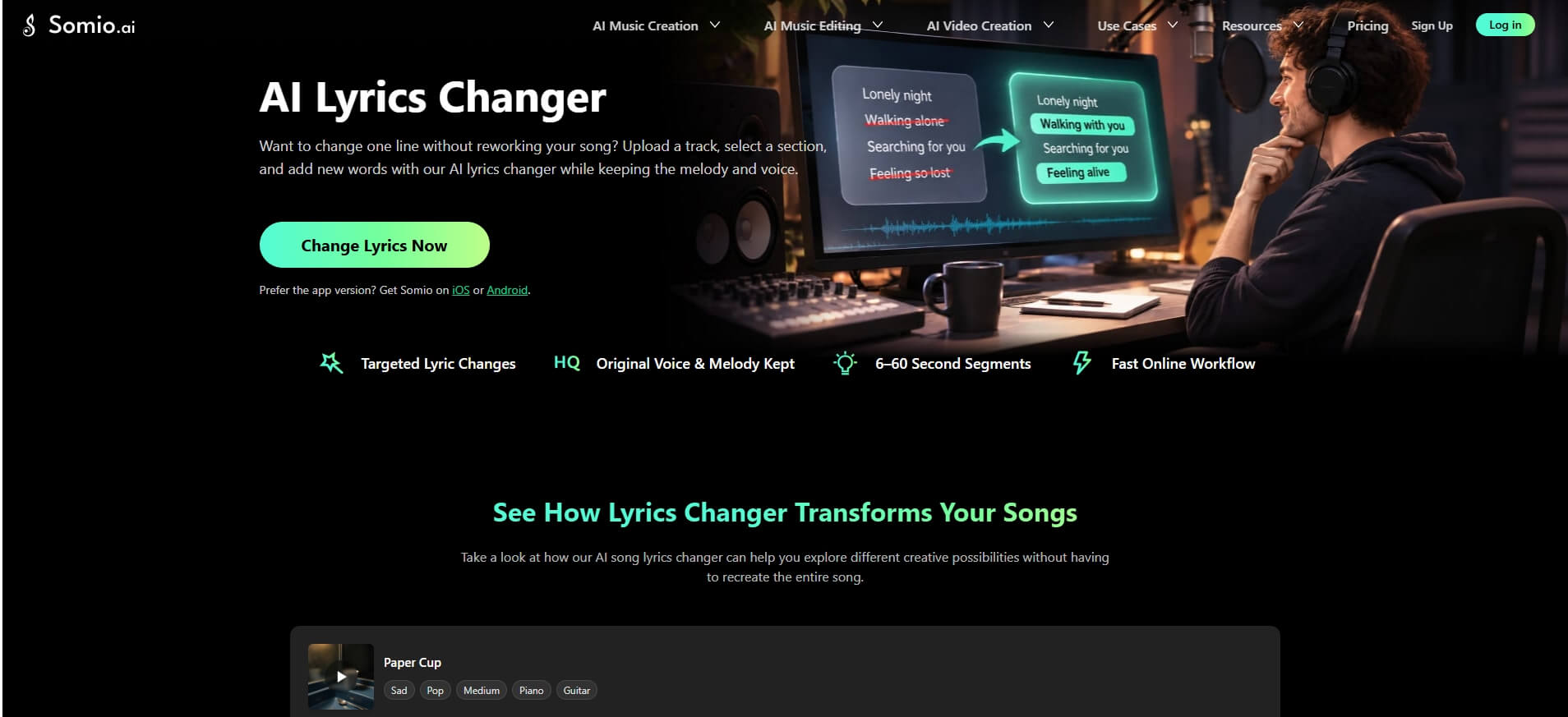
- Edit selected sections instead of recreating a full song
- Upload your own audio or choose songs from your Somio AI library
- Replace anything from a single line to a longer passage
- Generate new lyrics based on your ideas and input
- Consider the original rhythm and syllables when rewriting lyrics
- Keep the rest of your original track unchanged
- Edit song lyrics online through a simple workflow
- Support adds full lyrics to give AI more song context
- Preview updated sections and try different versions
Now comes the fun part: turning your new words into an updated song. So, how to change song lyrics with AI without losing the parts of a track you already like? The key is to work on the section that needs attention instead of regenerating the entire song. Somio AI lyrics changer gives you two convenient ways to work with your audio. You can upload a song from your device or select a track you've already created in your Somio AI library. Choose the passage, verse, or chorus you want to revise, enter your replacement lyrics, and let AI help fit the new words into the song's existing rhythm and vocal flow. Let's look at how to use each audio option to update your song:
Method 1: Change Lyrics of an Existing Song
Already have a song on your computer or phone? You can upload it directly to Somio AI song lyrics changer and replace the lyrics in a selected section. This is especially useful when you want to personalize a familiar song, correct a particular line, or experiment with a different message.
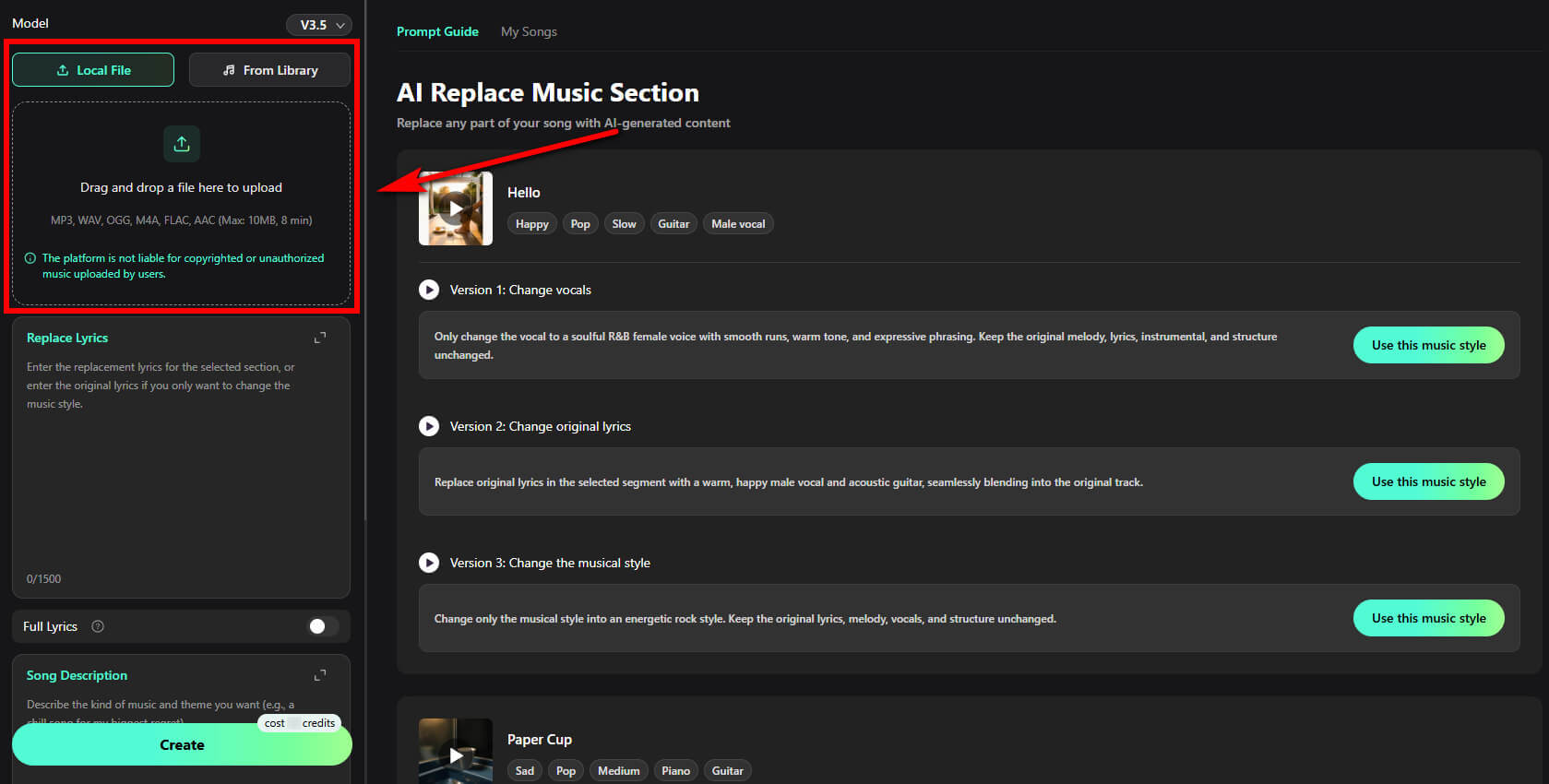
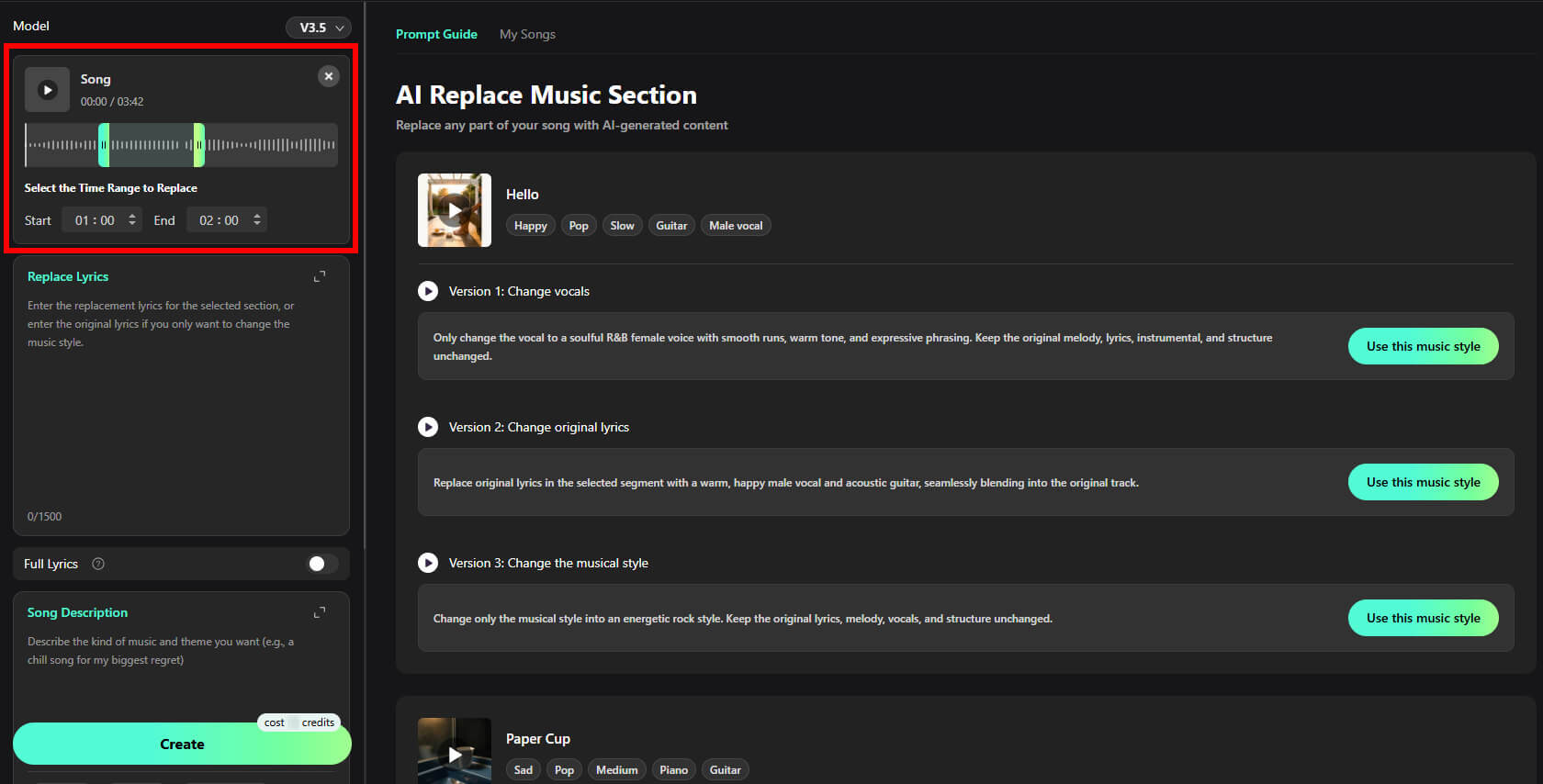
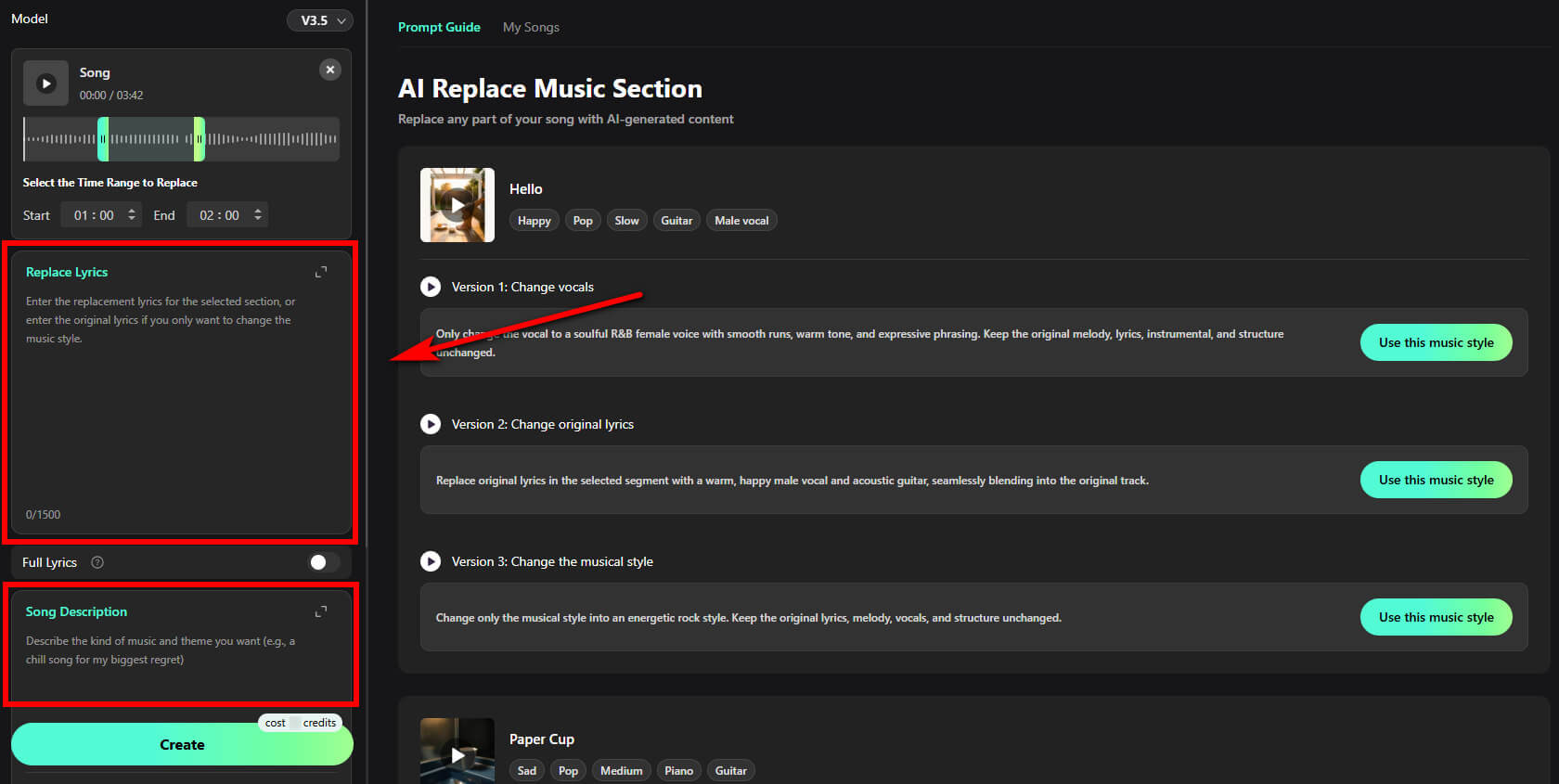
- Step 1Upload Your Song and Select a Section: Open Somio AI lyrics changer and upload your audio file. Once the song is loaded, locate the part you want to change. It might be one line in a verse, a chorus, or a short passage that no longer fits your idea. Select a segment between 6 and 60 seconds, making sure it includes the lyrics you want to replace.
- Step 2Enter Your Replacement Lyrics: Next, enter the new lyrics for your selected section. You can replace one line, several phrases, or an entire verse, depending on what you want to change. Try to keep the new words close to the original rhythm and syllable count if you want them to fit the existing melody naturally. You can also provide instructions about the vocal tone or musical direction you'd like to retain or explore.
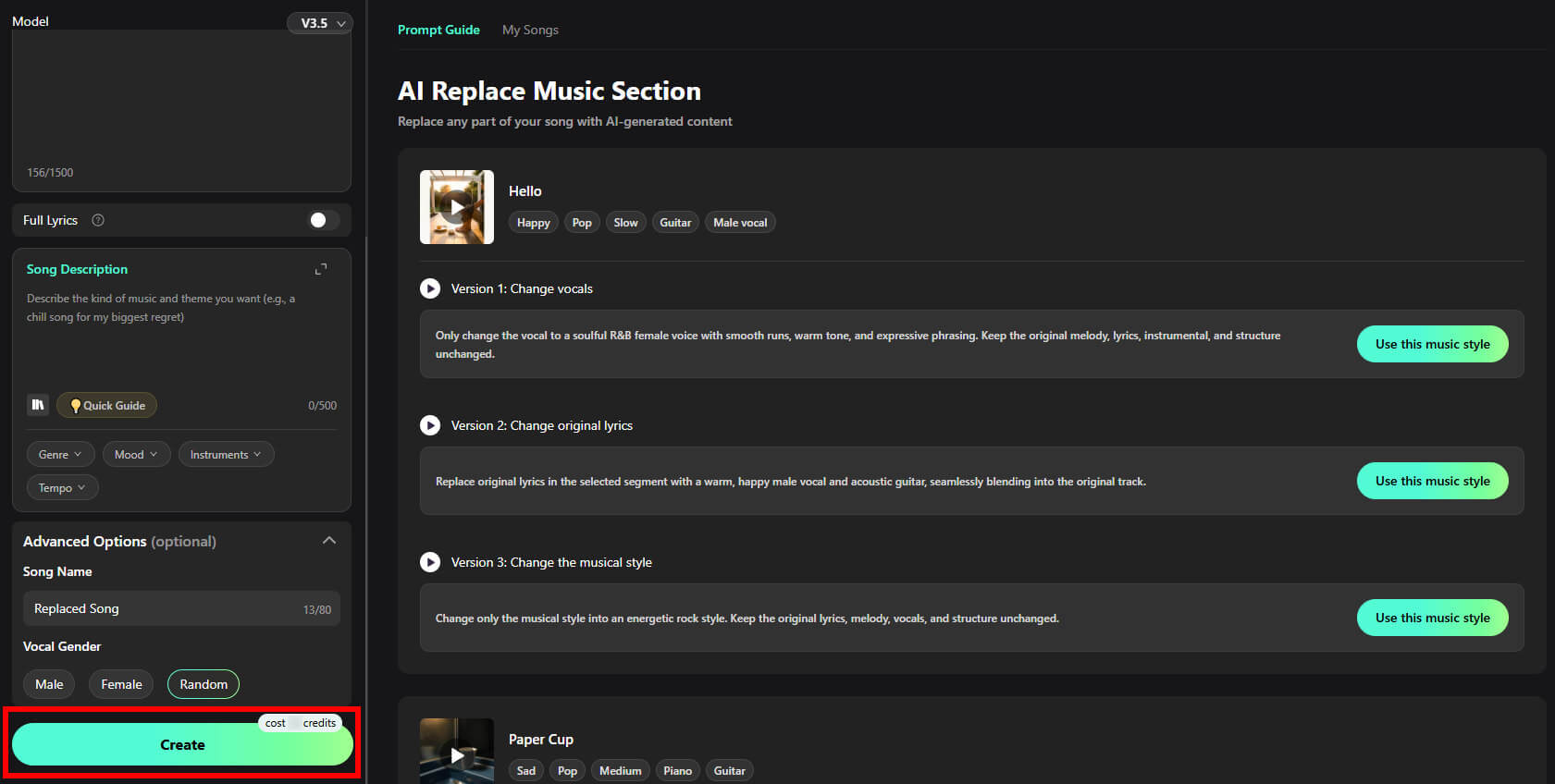
- Step 3Generate and Preview Your Updated Song: Once your lyrics and settings are ready, submit them to generate the updated section. Somio AI music lyrics changer will regenerate the selected passage based on your new words and creative direction in minutes. When the result is ready, play it back and listen carefully. The goal is to get the new section closer to your idea while keeping the unselected parts of your original track unchanged.
Method 2: Edit Lyrics in a Generated AI Song
What if you created a custom song with Somio but later decided that a few lines could be better? You don't need to start a new generation just because one verse or chorus isn't quite right. If your generated song is available in your Somio library, you can select it in the lyrics changer workflow and edit the section you want to improve.
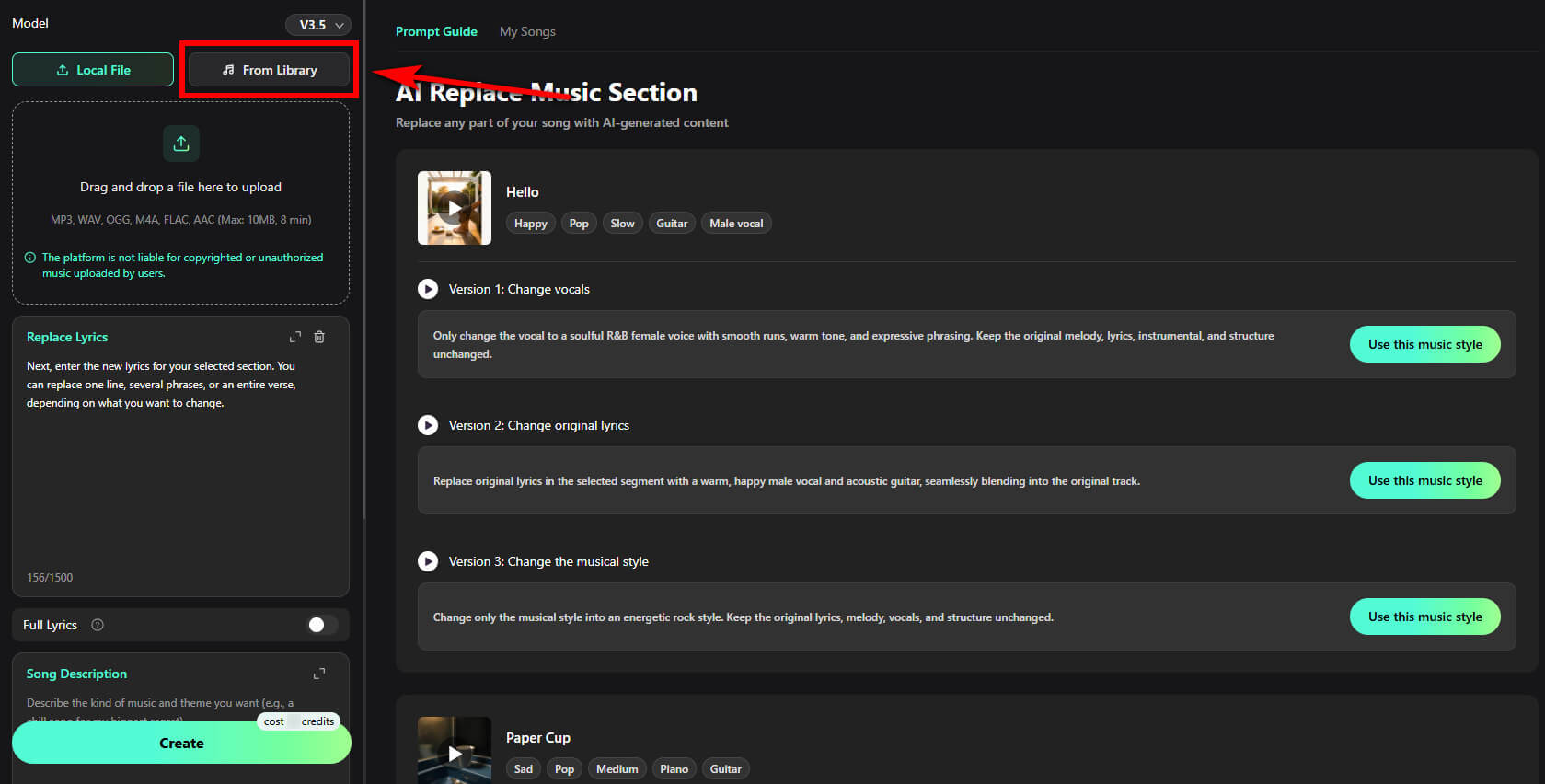
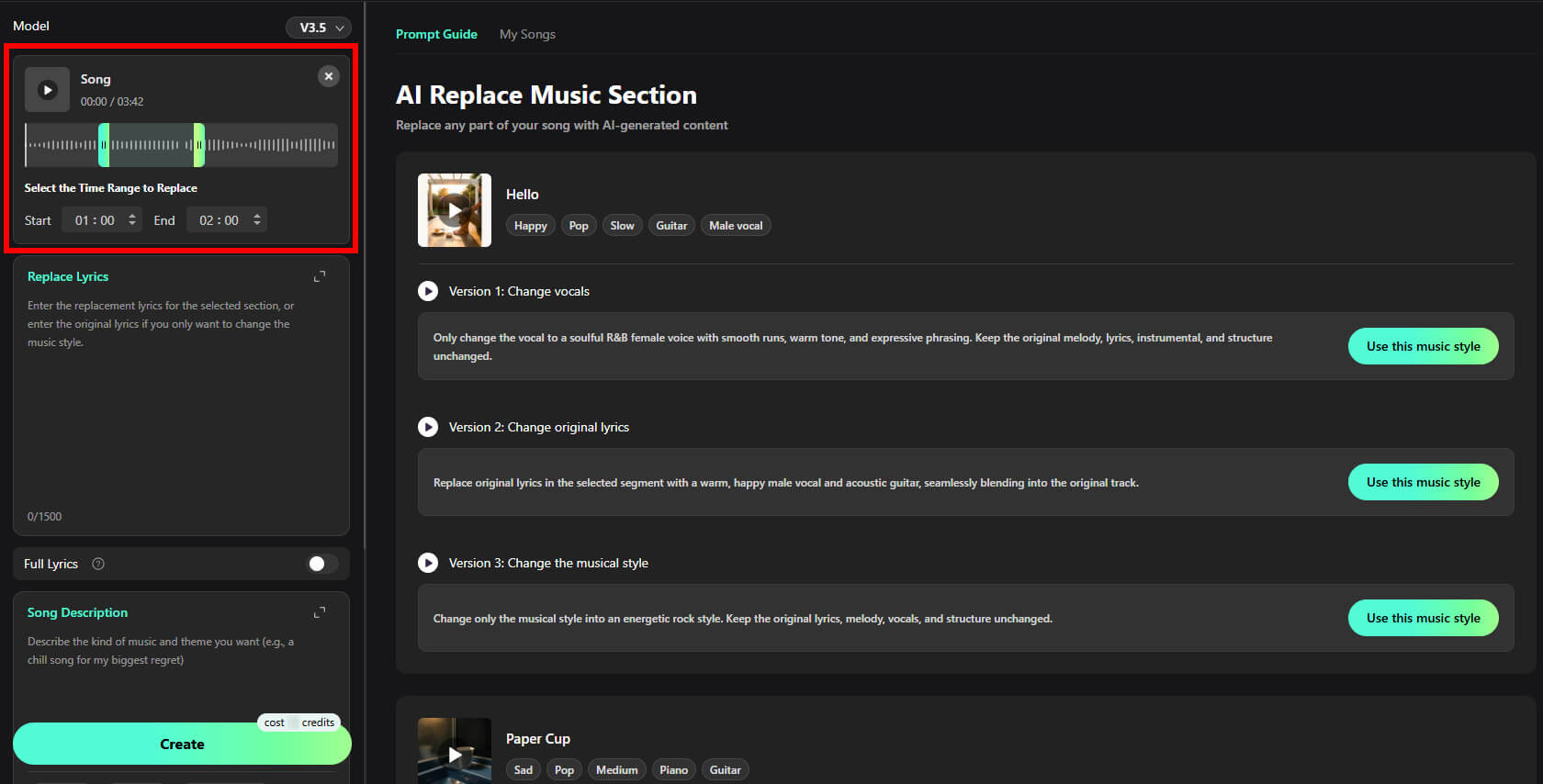
- Step 1Choose Your Generated Song: Open Somio AI lyrics changer and select your previously generated song from your Somio library. Find the verse, chorus, or other passage where you want to make changes.
- Step 2Rewrite the Lyrics You Want to Improve: Enter your replacement lyrics for the selected section. Maybe you want a stronger chorus, a more personal message, or a line that better matches the song's story. You can update just that part without rewriting the complete lyrics.
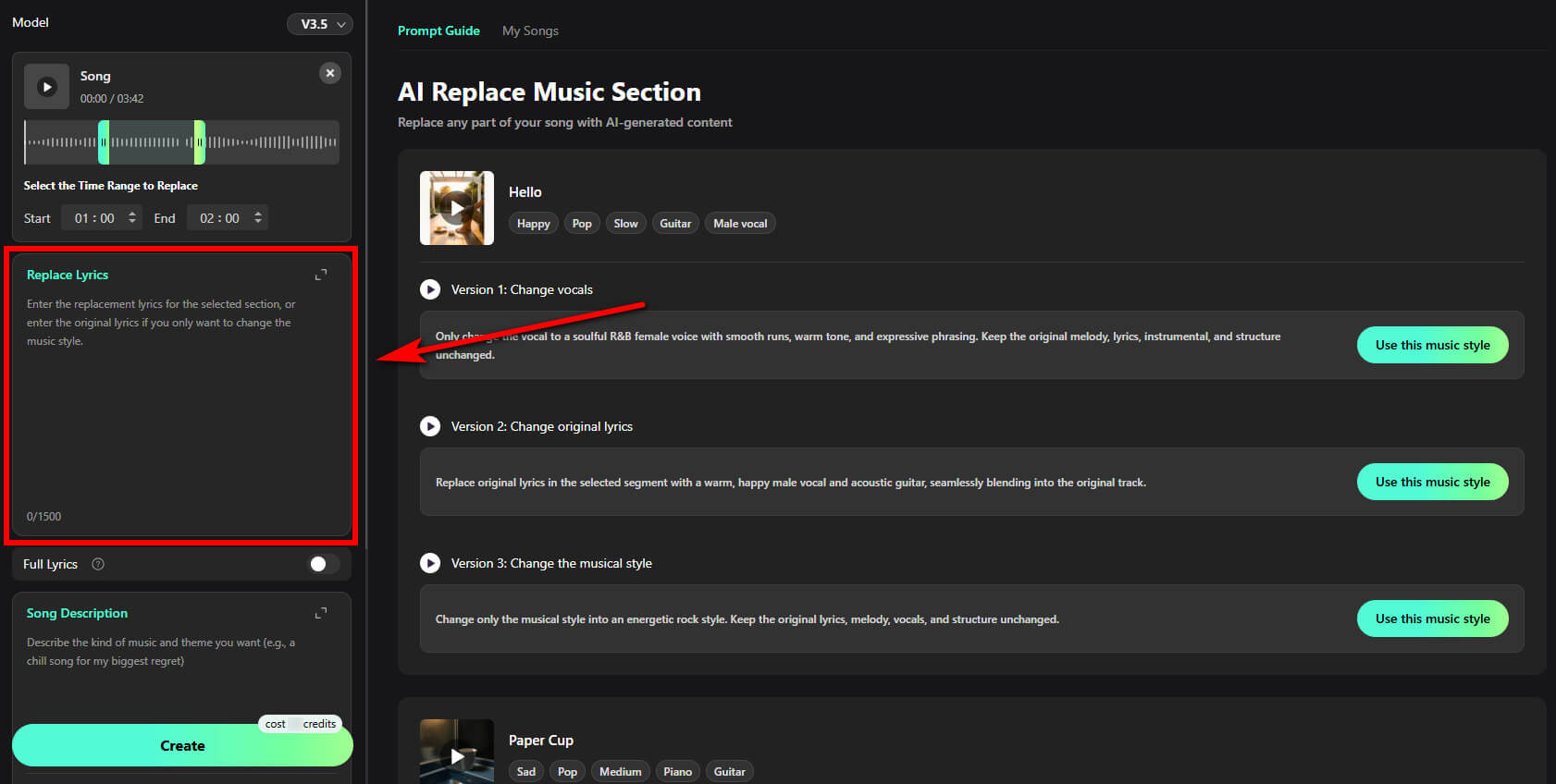
Tips: If you need fresh wording or want to explore a different lyrical direction, you can first brainstorm with Somio AI lyrics generator, then bring your preferred version back to the lyrics changer.
- Step 3Generate and Compare the New Version: Submit your updated lyrics and settings, then preview the generated passage. Listen to how it fits the original song and decide whether the new wording communicates your idea more clearly.
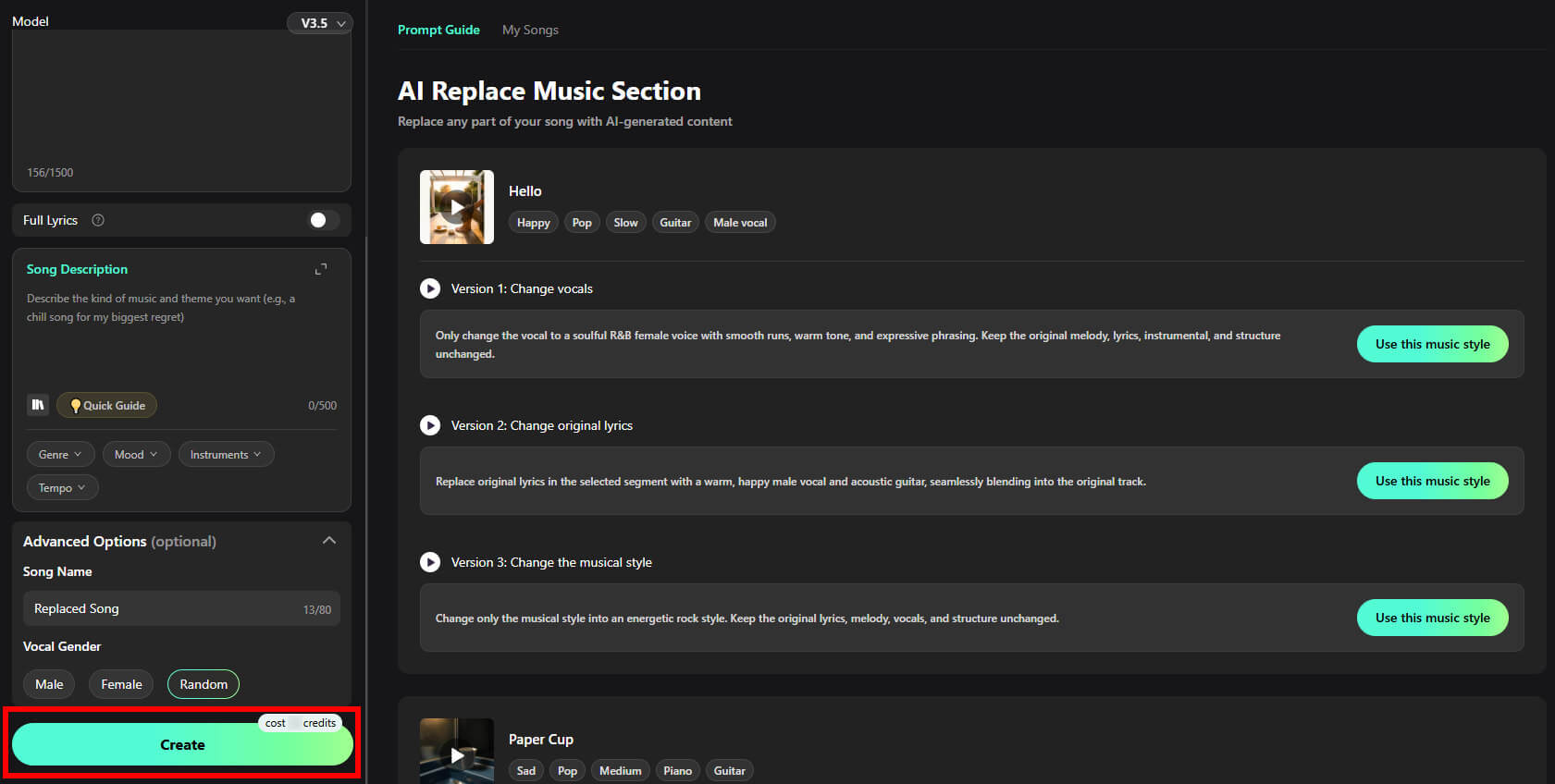
This workflow is especially useful when you're refining a demo or making small creative adjustments after generating a song. You can keep the parts you already like and focus your effort on the lines that need attention.
If you want to change more than the lyrics, such as the instrumental arrangement or the overall sound of a selected passage, Somio also offers an AI replace music section for broader music-section editing.
5 Tips for Better AI Lyrics Replacement Results
Changing lyrics in a song is only part of the process. You also want the new lyrics to sound like they belong in the song. A few thoughtful adjustments can help your replacement section feel more natural and connected to the original track.
Match the Original Rhythm and Syllable Count
Pay attention to how many syllables appear in each original line and where the natural stresses fall. If the original line has a short, steady rhythm, replacing it with a much longer sentence may make the new vocal delivery feel rushed or awkward.
You don't have to copy every word pattern exactly, but try to keep a similar rhythmic structure. Read your replacement lyrics aloud or sing them along with the original melody to see whether they fit.
Preserve the Natural Flow of Each Line
Good lyrics should sound natural when sung, not just look good on the page. Avoid forcing complicated expressions into a line simply because they rhyme. If a phrase feels difficult to say naturally, it may sound even less comfortable when performed.
Use clear wording, maintain consistent line breaks, and make sure each sentence leads smoothly into the next. When replacing several lines, consider how they connect as a complete passage rather than treating each one separately.
Keep the Emotional Tone Consistent
If you want your new lyrics to blend seamlessly into the original song, it's usually best to keep their emotional tone close to the original performance. For example, heartfelt words tend to fit more naturally in a gentle ballad than in an energetic party track.
But what if you actually want a dramatic change? Maybe you're turning a sentimental love song into a rock parody or transforming a slow ballad into a playful rap version. You can also go beyond lyric replacement. While updating the words, explore the available music and vocal settings to reshape the selected section's singing mood, vocal character, and musical direction.
This is where Somio AI lyrics changer gives you extra creative flexibility: you're not limited to changing what the singer says. You can also experiment with how the selected passage sounds. Just remember that broader musical changes may affect how closely the new section matches the original track.
Select a Complete Musical Phrase
When choosing the section to edit, try to work with a complete musical phrase rather than cutting into the middle of a sung word or an important transition.
For example, selecting a full line, a short verse, or a complete phrase within the supported 6–60 second range can make it easier to work with the lyrics and review the generated result. Pay attention to where the vocals begin and end, as well as how the selected passage connects to the surrounding music. A well-chosen section gives Somio AI lyrics changer clearer musical context and makes the editing process easier to manage.
Preview and Refine Your Replacement Lyrics
Your first generation doesn't have to be the final version. Listen to the updated passage in the context of the original song rather than judging it in isolation.
Ask yourself a few questions:
- • Are all the new words clear and easy to understand?
- • Does the vocal phrasing fit the melody?
- • Does the emotional tone match the direction you want?
- • Does the section connect naturally with the music before and after it?
If the answer to any of these is no, make a small adjustment and try again. Sometimes changing just one phrase or simplifying a line can make a noticeable difference.
It's Your Turn to Change Song Lyrics
You don't need to recreate an entire song just because a few lyrics no longer fit your idea. Whether you're updating an existing track or refining a song you've generated with Somio, AI lyrics changer makes targeted lyric replacement much easier.
Now that you know how to change song lyrics, you can upload your track, select the section you want to edit, enter your new words, and generate an updated version. Keep the original musical feel or experiment with a completely different vocal and style direction—the choice is yours.
Ready to give your song a new message? Try Somio AI lyrics changer and start rewriting the lines that matter to you.
FAQs About How to Change Song Lyrics
- Can I change only one line without rewriting the whole song?
Yes. You don't have to rewrite an entire song to fix one line. With Somio AI song lyrics changer, you can select a specific 6–60 second section, enter replacement lyrics for the part you want to change, and regenerate that passage. The rest of your original track stays unchanged, so you can focus on the wording that needs work.
- Can AI change song lyrics while keeping the original voice?
Yes. Somio AI lyrics changer is designed to preserve the original voice and melody when you replace lyrics in a selected section. For the closest match, describe the vocal character and musical direction you want to retain. You can also experiment with different vocal settings if you want a fresh interpretation.
- How do I remove words from a song?
If you want to remove or replace certain words, select the section containing them in Somio AI music lyrics changer and enter the revised lyrics you want instead. You can rewrite a single phrase or a longer passage. Somio AI lyrics changer regenerates the selected section with your new wording rather than simply muting individual words in the original recording.
- What audio formats does Somio AI lyrics changer support?
Somio AI lyrics changer supports MP3, WAV, OGG, M4A, FLAC, and AAC audio files. Each uploaded file can be up to 10 MB in size and 8 minutes long. You can upload a track from your device or select a song from your Somio library. If your file exceeds either limit, shorten or compress it before uploading.
- How long of a song section can I replace?
You can select a song section between 6 and 60 seconds for lyric replacement. This gives you room to update a short phrase, several lines, or a longer passage such as part of a verse or chorus. For a more natural result, choose a complete musical phrase with clear vocal boundaries instead of cutting through the middle of a word.
- Can I change the lyrics of any song online?
You can use Somio song lyrics changer to edit supported audio files that you upload or select from your Somio library. However, technical compatibility doesn't automatically mean you have permission to modify every recording. Make sure you have the necessary rights or authorization for the song, recording, and any material you plan to share or publish. Always respect applicable copyright rules.